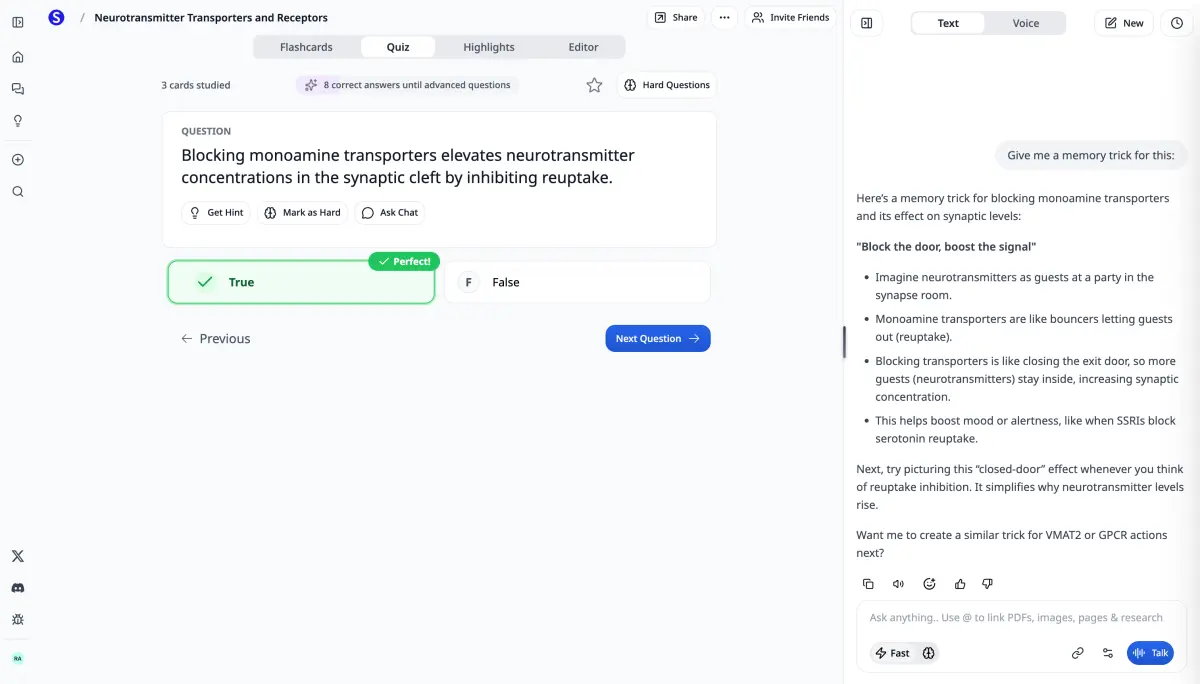
All-in-One AI Study Platform · Updated for 2026

AI Study Tools — The Complete Free Toolkit for Students

14 AI study tools in one place. Turn PDFs, lectures, slides, and YouTube videos into flashcards, study notes, practice tests, mind maps, and personalized tutoring. Free to start.

Join 150,000+ students · Free to start · No credit card required

14

AI study tools

150k+

Students using

$0

To get started

1

Login for everything

Every AI study tool, in one place

Stop juggling 10 different apps. Scholarly is the one platform with every AI study tool you need — built for the way real students study.

AI Flashcard Generator

Turn PDFs, notes, slides, or YouTube videos into editable flashcards. Study with spaced repetition or export to Anki and Quizlet.

Flashcards

Scholarly Assistant (AI Tutor)

Press ⌘J anywhere for instant help. Chat with PDFs, get step-by-step explanations, and solve problems on any subject.

Tutoring

AI Practice Test Generator

Generate full practice exams from your study materials with multiple choice, short answer, and essay questions plus instant feedback.

Quizzes & Exams

AI Study Notes Generator

Transform lectures, PDFs, and textbooks into organized study notes. Choose Cornell, outline, or mind-map structure.

Notes

AI Study Guide Generator

Build a complete, exam-ready study guide from any source — sections, key terms, summaries, and review questions in one document.

Notes

PDF Chat & Summarizer

Chat with PDFs, get instant summaries, and pull out the parts that actually matter. Works on textbook chapters and research papers.

PDF

AI Writing Assistant

Real-time autocomplete, rewrite, and expand for essays. Built around your own writing voice — not a generic AI tone.

Writing

YouTube to Flashcards & Notes

Turn lecture videos and online courses into flashcards, summaries, or full study notes from any YouTube URL.

Video

AI Math Solver

Solve math and physics problems step-by-step. Generate graphs, walk through derivations, and check your homework.

STEM

Mind & Concept Maps

Visualize how concepts connect with AI-generated mind maps and concept maps. Great for systems, processes, and big-picture review.

Visual

Homework Checker

Submit your work and get inline feedback before you turn it in. Catches errors, weak arguments, and suggestions to improve.

Homework

AI Lecture Notes (Recorder)

Record any lecture and get clean, structured notes plus a searchable transcript. Auto-generated flashcards from each section.

Lectures

AI Podcasts from PDFs

Turn dense PDFs into engaging podcast-style audio. Listen between classes, on the bus, or while reviewing with the deck open.

Audio

AI Video Lectures

Transform any topic, PDF, or set of notes into a teaching-style animated video with examples, checkpoints, and a recap.

Video

What makes Scholarly's AI study tools different

Other AI tools spit out generic summaries. Scholarly is built around active recall and spaced repetition — the two study methods with the strongest evidence behind them.

Active recall, by default

Every flashcard, quiz, and study session is built around testing yourself — the single most evidence-backed study method.

Spaced repetition that adapts

Cards you struggle with come back sooner. Cards you nail get pushed further out. The schedule learns from how you actually study.

Tools that talk to each other

Flashcards become quizzes. Notes become study guides. PDFs become podcasts. One source of truth, every format you need.

Scholarly vs. juggling 10 different tools

Most students cobble together Quizlet, ChatGPT, NotebookLM, Anki, Notion AI, a YouTube summarizer, an essay tool, a math solver, and a PDF reader. Scholarly replaces them all.

Using 10 different tools

1

10 different logins to remember

2

$50–100/month across multiple subscriptions

3

Switching between apps wastes hours every week

4

No integration — your flashcards live in one app, your notes in another

5

Inconsistent quality — some tools great, others mediocre

With Scholarly

1

One account for every study tool

2

Free plan for the core study tools you need most

3

Everything in one place — search across all your study material

4

Full integration — flashcards become quizzes, notes become podcasts

5

Frontier AI models (Claude, GPT-5, Gemini) under one roof

Built for every kind of student

Med, law, nursing, CS, business, languages, high school — Scholarly's AI study tools adapt to whatever you're studying.

Powered by frontier AI models

Scholarly runs on the latest models from Anthropic (Claude), OpenAI (GPT-5), and Google (Gemini) — and you can switch between them on Premium plans. Your study tools always run on the best AI for the job.

Claude Opus 4.6GPT-5Gemini 2.5 ProClaude Sonnet 4.6

150,000+ students study smarter with Scholarly

From med school flashcards to law school outlines to high school SAT prep — students use Scholarly's AI study tools to turn their own materials into flashcards, quizzes, notes, and personalized tutoring.

No credit card required · Works on web, iOS, and Android

Frequently asked questions

Are Scholarly's AI study tools really free?

Yes. The free plan covers the core study tools — AI flashcards, study notes, the AI tutor, practice quizzes, and PDF summaries — with daily limits. Premium and Premium+ plans unlock unlimited usage, longer PDFs, and access to additional frontier models.

Which AI models do Scholarly's tools use?

Scholarly runs on the latest frontier models — Claude Opus 4.6 from Anthropic, GPT-5 from OpenAI, and Gemini 2.5 Pro from Google. The platform automatically picks the best model for each task, and Premium users can switch models manually inside the AI tutor.

Do I have to install different apps for each tool?

No. All 14 AI study tools live inside one Scholarly account. Sign up once and access everything from your browser, the iOS app, or the Android app. There's nothing to install for the web version.

What makes Scholarly's AI study tools better than ChatGPT or NotebookLM?

ChatGPT and NotebookLM are general-purpose AI tools. Scholarly is built specifically for studying — every tool defaults to active recall and spaced repetition, integrates with your flashcards and study schedule, and exports cleanly to Anki and Quizlet. You also get specialized tools (math solver, lecture recorder, video generator) that ChatGPT can't do.

Can I use Scholarly on my phone?

Yes. Scholarly runs on the web, iOS, and Android with full access to every AI study tool. Decks, notes, and study progress sync across devices automatically.

Can I export my flashcards and notes?

Yes. Flashcards export as Anki .apkg files or as Quizlet-compatible CSVs. Study notes export as Markdown or PDF. You own your study material — there's no lock-in.

How accurate is the AI?

Scholarly uses frontier models that are highly accurate on academic content, but every AI tool can make mistakes. Always review AI-generated flashcards, notes, and answers — use them as a study aid alongside your textbooks and lectures, not a replacement.

What can I upload to generate study material?

PDFs, lecture slides (PPTX), Word documents, images of handwritten notes, YouTube URLs, websites, and pasted text. Free accounts can upload one PDF per day; Premium plans support unlimited uploads and PDFs up to 1,000 pages.

More ways to study with Scholarly

Pair these AI tools with the rest of the Scholarly platform.

Get every AI study tool in one place

Join 150,000+ students using AI to study smarter. Everything you need in one platform.

Save 60% with annual

Free

$0/month
  • 3 AI messages per day
  • 1 file upload per day (8MB)
  • 10 quiz questions per day
  • 1 AI podcast per day
  • 1 AI video lecture per day
  • 1 AI slide deck per day
  • 1 exam attempt per day
  • 8-page PDF to flashcards
Most Popular

Ultimate

$12/month

$144 billed yearly

Everything in Free, plus:

  • Unlimited AI messages & autocomplete
  • Unlimited file uploads (up to 300MB)
  • Unlimited study sessions
  • Unlimited AI podcasts, video lectures & slide decks
  • Unlimited exams & quizzes
  • 1,000-page PDF to flashcards
  • Export to Anki
  • Priority support

Pricing in USD. Local currency available in app.

Compare plans

Feature

Free

Ultimate

AI Messages

3/day

Unlimited

File Uploads

1/day (8MB)

Unlimited (300MB)

PDF to Flashcards

8 pages

1,000 pages

Practice Questions

10/day

Unlimited

Practice Exams

1/day

Unlimited

AI Podcasts

1/day

Unlimited

AI Video Lectures

1/day

Unlimited

AI Slide Decks

1/day

Unlimited

Autocomplete

500 words/day

Unlimited

Export to Anki

Included

Support

Standard

Priority

What students say

Scholarly has been a valuable tool for my studies. The AI-generated flashcards and intuitive features make organizing and retaining information much easier.

Briana

Briana

Student

This app is great for studying for big test. Drop your PDF's in the system and it'll do the trick. You can organize it specifically for your needs.

Kelvin

Kelvin

Student

I am currently preparing for a test that covers a substantial amount of material, and I've found that not having to physically write out my flashcards has been incredibly beneficia...

Isabelle

Isabelle

Student

Scholarly is great for students. I am enrolled in online university and my classes are all PDF based. All I do is upload the PDF and it creates flashcards decks for me. The greate...

Alexandra

Alexandra

Student

Your questions, answered

Is Scholarly free to use?

Yes! Our free plan includes all core features with daily limits. You can create flashcards, use AI chat, upload files, and study — all without paying. Upgrade to Ultimate for unlimited access.

Can I cancel anytime?

Absolutely. There are no contracts or commitments. You can cancel your subscription at any time from your account settings, and you'll keep access until the end of your billing period.

What payment methods do you accept?

We accept all major credit and debit cards through Stripe. Pricing is displayed in USD by default, but local currency is available in the app.

Do you offer discounts for educators?

Yes, we offer special pricing for educators and educational institutions. Contact us at [email protected] for details.

What happens when I hit a free plan limit?

You'll see a prompt to upgrade. Your existing work is never lost — limits only apply to new daily actions like AI messages, uploads, and quiz questions. Limits reset every day.

For Educators or Schools

Contact us for special pricing at [email protected].