



1 free creation, like a video, podcast or flashcards
Videos and podcasts up to 2 min
Upload 1 file, up to 8 MB
Try chat and quizzes on it
A drug guide. A casebook. A sales playbook.
Upload a PDF, notes or a recording. Get a narrated video lecture, a podcast, slides, flashcards or cited answers.
Used by 250,000+ learners, researchers and professionals
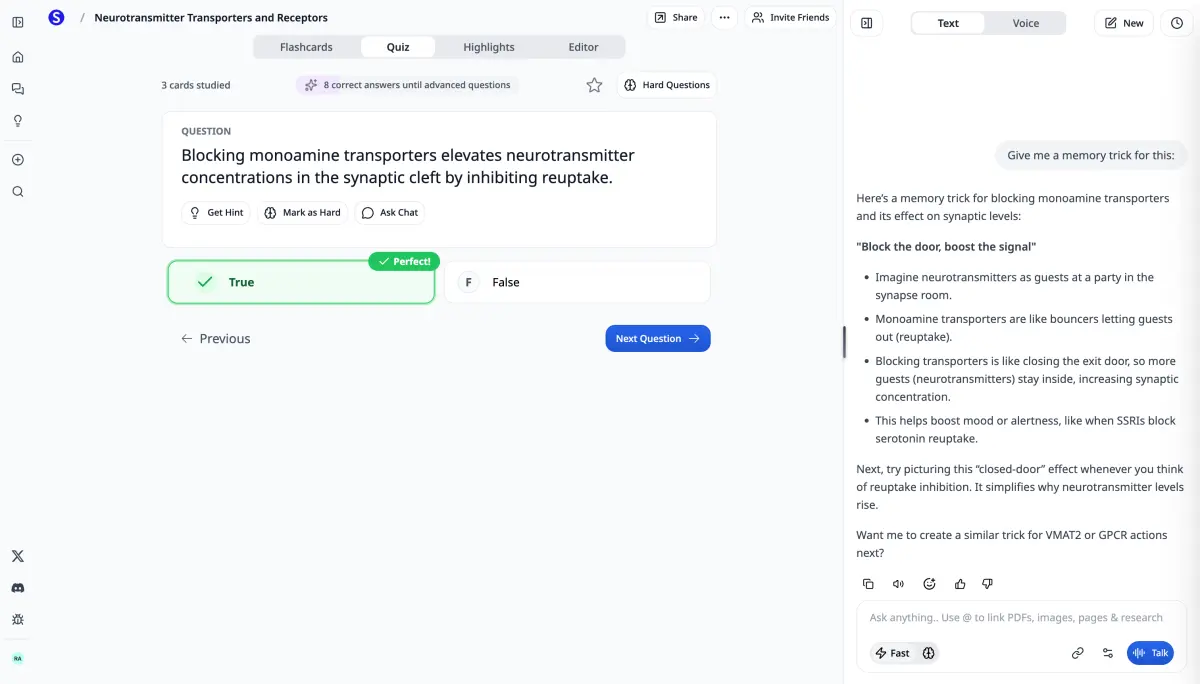
You have the slides. The exam has a date. Study what your course covered.
College students
You bring: Your professor's slides, the reading, a class recording
Medical students
You bring: Anatomy lectures, pharm notes, pathology readings
Nursing students
You bring: Pharm notes, drug guides, NCLEX review books
Law students
You bring: Case readings, con law outlines, bar review notes
3D models for medical education
You bring: Labeled anatomy and physiology teaching models built from your own lecture notes.
Exam and license candidates
You bring: Your prep book, the official study guide, your own notes
Your job comes with homework. Get through it, with the page numbers kept.
Professionals
You bring: Industry reports, technical docs, certification material
Researchers
You bring: Papers, protocols, seminar recordings
Writers
You bring: Articles, PDFs, hours of interview tape
Instructors & course creators
You bring: Your slides, a PDF chapter, your own script
Legal teams
You bring: Contracts, case files, deposition recordings
Consultants
You bring: Data-room PDFs, industry reports, expert calls
3D models for teachers
You bring: Turn a lesson, slide deck or textbook chapter into a labeled 3D model you can turn around in class.
Teach everyone from the same material. Shared libraries, roles and one bill.
Businesses & teams
You bring: Handbooks, process docs, recorded calls
Employee training & L&D
You bring: Policy PDFs, product docs, recorded workshops
Employee onboarding
You bring: The handbook, SOPs, recorded orientations
Sales enablement
You bring: Playbooks, battle cards, product specs
Content & marketing teams
You bring: Briefs, product docs, webinar recordings
Schools & K‑12
You bring: Textbook chapters, lesson notes, worksheets
Universities & higher ed
You bring: Course readings, lecture slides, lab papers
Not on the list? Start from what you want to end up with.
Video lectures
A narrated, animated lecture at the length you pick.
Podcasts
An episode with a host and an expert guest, scripted from your material.
Slides
A designed deck, with the talk already written into the speaker notes.
Flashcards
Cards linked to the page or timestamp they came from.
Quizzes and practice exams
Multiple choice, short answer and timed exams, with written answers graded.
Cited answers
A chat that works from your files, with citations that open at the page.
Or start from the file you already have.
Different files. The same three moves. A nursing student and a sales lead do exactly this.
- Add your source: a PDF, Word or PowerPoint file, a recording, a video, a link, or a file from Google Drive, Dropbox or Notion.
- Choose what it becomes: a lecture, a podcast, a deck, a quiz, flashcards, a study guide or plain answers.
- Check it against the source. Chat answers cite the page or timestamp, and a citation that does not resolve to a source the chat can see is removed before the answer is saved.

Scholarly has enhanced the quality of notes and questions I administer to my tutees. Insightful, to the point.
TGTD Georgas, Tutor
I am enrolled in online university and my classes are all PDF based. All I do is upload the PDF and it creates flashcards decks for me.
Alexandra, Student
It helps me digest information fast. I like using Scholarly to get a gist out of a topic before a lecture.
Jonie Vince, Scholarly user
What people ask before they upload.
Who is Scholarly for?
Anyone who has to learn from their own material. That means students and exam candidates, people studying for a license or certification, professionals working through documents for their job, researchers, and people who turn work documents into training and content. Teams use the same product with shared libraries, roles and one bill.
Is Scholarly only for students?
No. Students are a big part of who uses it, but the job is the same at work: a document you need to understand or teach. A sales playbook becomes a quiz the same way a pharmacology chapter does.
What does Scholarly make from my material?
Narrated video lectures, podcasts, slides, flashcards, quizzes and practice exams, notes, study guides, mind maps, infographics and 3D models, plus a chat that answers from your files with citations. Everything is built from what you upload.
What can I upload?
PDFs, Word and PowerPoint files, images, audio and video recordings, links, and files from Google Drive, Dropbox and Notion. You can also record in the browser. The Free plan takes one upload of up to 8 MB and 32 pages. Premium takes files up to 300 MB and 1,000 pages, and Laureate up to 1 GB and 3,000 pages.
My field is not listed. Will it work for me?
Very likely. Scholarly does not depend on a subject being on this page, because it works from the source you give it. The honest test is one real file: the Free plan includes one AI Creation Credit, and no credit card is required.
Is there a student plan or a separate professional plan?
No. There is one set of personal plans, Free, Premium and Laureate, with no separate student plan and no ID check. They differ by how much you can make, not by who you are.
Is Scholarly for Teams a different product?
It is the same product with shared source libraries, Owner, Admin and Member roles, activity reporting and one bill. Teams of 1 to 29 seats can buy on their own. Inviting teammates needs a paid team plan.
How do I know the answers are right?
Check them. Chat answers carry citations that open at the page or timestamp, and a citation that does not resolve to a source the conversation can see is removed before the answer is saved. That does not make every sentence true, so read the source for anything you rely on. Podcasts list their sources for the episode as a whole.
Is my material private?
Your uploads stay private to your account until you share them. Scholarly does not use private content to train general-purpose AI models by default, and any optional training program would need a separate opt-in.
Try it on one real file. No credit card required.
Pricing shown in USD by default. Local currency may be available in app or at checkout.