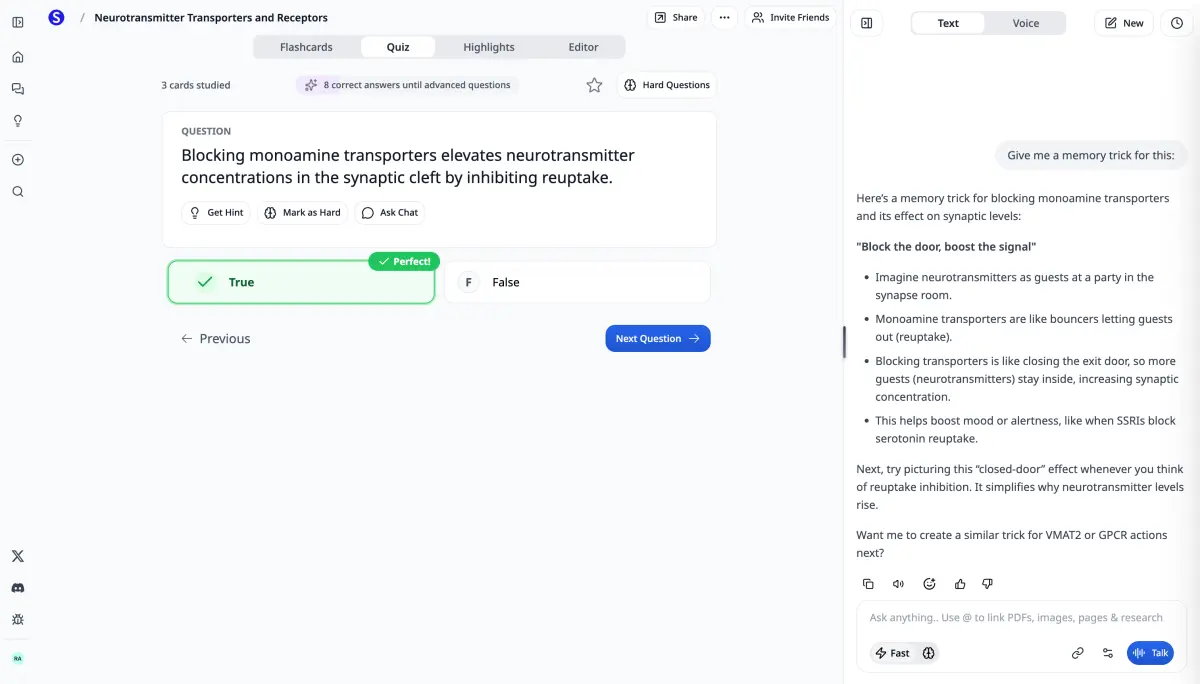
#2ChatGPT - General AI Assistant
Best for: Quick questions and explanations
ChatGPT is the most well-known AI chatbot. Great for explaining concepts and answering questions, but lacks study-specific features like flashcard generation or quiz creation. You'll need multiple tools to cover everything Scholarly does.
✅ Very conversational and easy to use
✅ Good at explaining concepts
❌ No flashcard or quiz generation
❌ Paid plan needed for some advanced features
#3Quizlet - Flashcard Platform
Best for: Pre-made flashcard sets
Quizlet has millions of pre-made flashcard sets. Good if someone already made cards for your class, but you'll still need to manually create cards from your own materials. Scholarly does this automatically from PDFs.
✅ Huge library of existing flashcard sets
✅ Simple interface
❌ No AI to auto-create from YOUR materials
❌ Plus features require a paid subscription (see Quizlet's pricing page)
#4Grammarly - Writing Assistant
Best for: Grammar and spell checking
Grammarly catches grammar errors and suggests improvements. Great for polishing essays, but doesn't help with actual writing or content generation like Scholarly's AI writing assistant does.
✅ Excellent grammar checking
✅ Browser extension
❌ Premium features are paid
❌ Doesn't help with content generation
#5Notion AI - Note-Taking with AI
Best for: Organized note-taking
Notion is great for organizing notes, and their AI can summarize and expand text. However, it's not built for students specifically - no flashcards, quizzes, or study features. Better as a supplement to Scholarly.
✅ Powerful organization
✅ AI writing features
❌ AI features are paid
❌ Steep learning curve
#6Wolfram Alpha - Computational Knowledge
Best for: Complex math and science calculations
Wolfram Alpha is excellent for advanced math, physics, and chemistry calculations. Shows step-by-step solutions. However, it's limited to STEM subjects and doesn't help with studying other topics.
✅ Highly accurate calculations
✅ Step-by-step solutions
❌ Only for math/science
❌ Pro features are paid
#7Anki - Spaced Repetition Flashcards
Best for: Long-term memorization (med school, languages)
Anki uses scientifically-proven spaced repetition. Popular with medical students. However, you have to manually create every flashcard or hope someone shared a deck. Scholarly auto-generates Anki-compatible cards from PDFs.
✅ Best spaced repetition algorithm
✅ Free on most platforms
❌ Very dated interface
❌ Manual card creation is tedious
#8Claude - AI Chat Assistant
Best for: Long document analysis
Claude (by Anthropic) is great at analyzing long documents and providing detailed explanations. Can upload PDFs and ask questions. However, like ChatGPT, lacks study-specific features. Scholarly integrates Claude plus adds flashcards, quizzes, etc.
✅ Excellent at reading long documents
✅ Very thoughtful responses
❌ Pro features are paid
❌ No study tools (flashcards, quizzes)
#9Photomath - Math Problem Solver
Best for: Quick math homework help
Photomath lets you take a picture of a math problem and see the solution. Great for quick homework help, but only works for math and doesn't help you study for exams. Scholarly's AI can solve math AND create practice problems.
✅ Super easy - just take a photo
✅ Step-by-step solutions
❌ Only for math problems
❌ Doesn't help with studying/prep
#10Google Gemini - Google's AI
Best for: Real-time web search integration
Google Gemini is integrated with Google search, so it can find current information. Good for research, but like other general AI chatbots, lacks student-specific features. Can't create flashcards or quizzes.
✅ Integrated with Google
✅ Free to use
❌ No study tools
❌ Not designed for students