
1 free creation, like a video, podcast or flashcards
Videos and podcasts up to 2 min
Upload 1 file, up to 8 MB
Try chat and quizzes on it
Scholarly vs the tool you use now.
Turn a PDF, notes or a recording into a narrated lecture, a podcast, slides, flashcards and cited answers. Find your tool in 32 side-by-side comparisons.
Used by 250,000+ learners and professionals worldwide
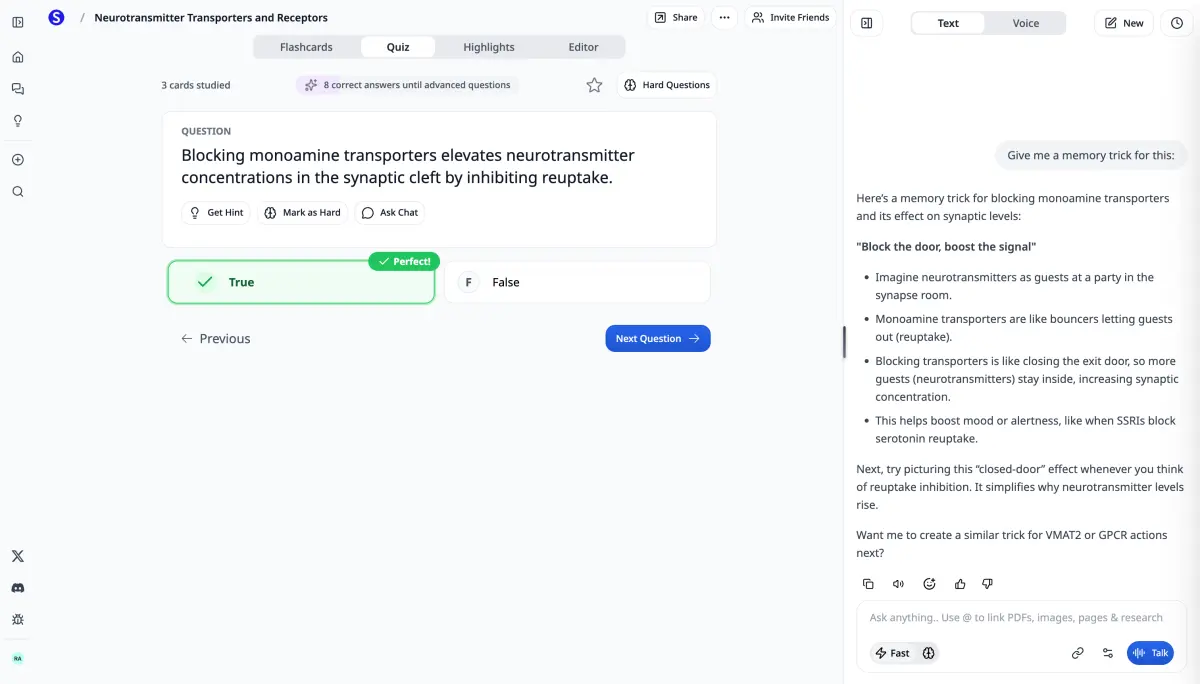
What your material becomes. You bring the file. We make the rest.
Video lecture
Narrated and chaptered, with captions and questions as it plays.
Podcast
A host and guest you cast, with chapters and a transcript.
Slides
A designed deck with speaker notes, ready to present and share.
Flashcards and exams
Cards that link to their source, practice questions and timed exams.
Cited answers
Chat across your sources and open any citation at its page or timestamp.
Notes from a recording
Press record in a browser or upload the audio. Get a timestamped transcript and structured notes.
The short answer, by what you need.
If you learn from your own material, these are the jobs Scholarly is built for.
Flashcards from your own course files
Scholarly flashcards
Written from your file, with cards that link back to the page or timestamp. Practice questions and timed exams come from the same deck.
To understand your course, not just find an answer
Scholarly chat
Answers come from your files, and every citation opens at its page or timestamp.
A whole lecture rather than a short summary
Scholarly video lectures
Narrated and chaptered, at any length up to 45 minutes on paid plans, with captions and questions as it plays.
Something to listen to on the way to class or work
Scholarly podcasts
Up to 60 minutes on paid plans, with a host and guest from 66 voices, chapters and a transcript. Each episode cites its sources.
Training from a document, with nobody on camera
Scholarly video lectures
A policy, SOP or manual becomes a chaptered lecture, with a quiz from the same source.
A deck to present from your report or notes
Scholarly AI Slides
A designed deck with speaker notes that you can present and share on every plan. PowerPoint download on paid plans.
Notes from a class or meeting you recorded
Scholarly recordings
Press record in a browser or upload the audio. Get a timestamped transcript and structured notes.
A choice of AI models on your own documents
Scholarly chat
Models from seven labs in one chat on paid plans, all working from your files.
One source library for a whole team
Scholarly Teams
Shared libraries, Owner, Admin and Member roles, activity reporting and one bill, on the same product.
Every comparison, by what you use now. Each row opens the full side-by-side.
You study from flashcards.
Compared withKnown forPick Scholarly for
- QuizletKnown for: Adaptive Learn mode and practice tests.Pick Scholarly for: A deck from your own file, with cards linked to the source.
- AnkiKnown for: A free desktop app, add-ons and scheduling you control.Pick Scholarly for: Cards written for you, plus a lecture from the same file.
- KnowtKnown for: Flashcards and notes on a free plan, and a shared resource library.Pick Scholarly for: A narrated lecture, slides, and cards linked to the source.
- Vaia (StudySmarter)Known for: Millions of community sets, textbook solutions and native apps.Pick Scholarly for: Your own course files, made into lectures and podcasts.
- ReviselyKnown for: GCSE and A-Level resources, past papers and quick AI cards.Pick Scholarly for: Your teacher's files, made into a lecture, a podcast or a deck.
- RemNoteKnown for: Writing cards inside your notes as you type, in an outliner.Pick Scholarly for: A finished deck, lecture or podcast from a file you already have.
You look up what is already written.
Compared withKnown forPick Scholarly for
- CheggKnown for: Step-by-step solutions and answers from experts.Pick Scholarly for: Explanations from your own notes, with citations you can open.
- Course HeroKnown for: Assignments, past exams and notes shared for your course.Pick Scholarly for: Studying from your material, not someone else's upload.
- StudocuKnown for: Notes shared by students, sorted by course.Pick Scholarly for: Your own slides and recordings, private unless you share them.
- Save My ExamsKnown for: Revision notes, exam questions and past papers, sorted by board.Pick Scholarly for: Your teacher's notes, made into cards and a lecture.
- SenecaKnown for: Free courses written to your exam board, often set by your teachers.Pick Scholarly for: Your own lessons, from your slides and recordings.
You want notes made for you.
Compared withKnown forPick Scholarly for
- StudyFetchKnown for: Sparky, its AI tutor, and notes taken live during class.Pick Scholarly for: A chaptered lecture up to 45 minutes, and cited answers.
- MindgraspKnown for: Fast notes, summaries and an AI tutor from almost any file.Pick Scholarly for: A lecture, podcast or timed exam, not only a summary.
- NoteGPTKnown for: YouTube summaries and transcripts, including whole playlists.Pick Scholarly for: Turning that video into cards, a quiz or a cited answer.
- Turbo AI (Turbolearn)Known for: A live lecture note taker, with notes and flashcards on its free tier.Pick Scholarly for: The same recording, then a narrated lecture or a timed exam.
- CoconoteKnown for: Recording on iPhone, Android or Apple Watch, with notes that sync.Pick Scholarly for: What comes after the notes: lectures, slides and cited answers.
- NotionKnown for: One workspace for docs, wikis and projects, with AI across it.Pick Scholarly for: Study material from a source, instead of a system to build.
You ask an AI.
Compared withKnown forPick Scholarly for
- ChatGPTKnown for: Everyday chat, real-time voice and Codex for coding.Pick Scholarly for: Models from seven labs in one chat, grounded in your files.
- ClaudeKnown for: Long writing, careful reasoning, Projects and Claude Code.Pick Scholarly for: Claude beside other labs, then a lecture from your file.
- GeminiKnown for: Gemini inside Gmail and Docs, and Veo video generation.Pick Scholarly for: Gemini beside other labs, with citations you can open.
- GrokKnown for: Answers from X and the web, and Grok Imagine clips.Pick Scholarly for: Answers from your own documents, not the live feed.
- Microsoft CopilotKnown for: Help inside Word, Excel, PowerPoint and Outlook.Pick Scholarly for: A lecture, a podcast or a quiz built from the file, not edits to it.
- PerplexityKnown for: Answers from the web, with citations in every answer.Pick Scholarly for: Answers from your own files, with citations to the page.
- NotebookLMKnown for: A free plan, large notebooks and audio hosts you can interrupt.Pick Scholarly for: A full lecture, a long podcast or a graded exam.
- NotebookLM, open modelsKnown for: Google's own models on Google's free plan.Pick Scholarly for: The same source-grounded work on open-weight models.
You need a video.
Compared withKnown forPick Scholarly for
- NotebookLM VideoKnown for: Quick narrated summaries, from about 60 seconds, in many styles.Pick Scholarly for: The whole lecture, up to 45 minutes, with chapters.
- HeyGen, for studyKnown for: Presenter avatars, voice cloning and translated video.Pick Scholarly for: A lecture with flashcards, quizzes and chat on the source.
- Synthesia, for studyKnown for: Avatar presenters for polished, on-camera video.Pick Scholarly for: A lecture to study from, with cards and quizzes beside it.
- Synthesia, for trainingKnown for: Avatars, a scene editor and SCORM on Enterprise.Pick Scholarly for: A chaptered lecture and a quiz from the same SOP.
- HeyGen, for trainingKnown for: Avatar presenter videos, voice cloning and translated video.Pick Scholarly for: A narrated lesson and a quiz from your own document.
You are buying for a team.
Compared withKnown forPick Scholarly for
- ChatGPT BusinessKnown for: ChatGPT and Codex across a team, on desktop and mobile.Pick Scholarly for: Training material from your documents, in a shared library.
- Claude for TeamsKnown for: Writing, analysis and Claude Code across a team.Pick Scholarly for: Lectures, decks and quizzes your team can reuse, on one bill.
- NotebookLM, for teamsKnown for: Working inside Google Workspace.Pick Scholarly for: A shared library with roles, activity reports and one bill.
Other companies' details were read on their own sites and app listings on November 1 and 2, 2026.
What people ask before they switch.
What is the best study app?
If you learn from your own material, Scholarly. A PDF, notes or a recording becomes a narrated lecture, a podcast, slides, flashcards and cited answers, all in one place. Other apps center on one part of that: Anki and Quizlet on flashcards, Save My Exams and Seneca on revision written for exam boards, ChatGPT on general chat.
What is the best free study app?
Anki's desktop app and Seneca's courses are free for flashcards and exam-board revision. To see what your own file can become, start on Scholarly's free plan: one AI creation, one upload and 100 chat messages with no credit card, and building a flashcard deck by hand stays free. Paid plans add more creations and longer lectures and podcasts.
What is the best Quizlet alternative?
Scholarly, if you want the deck written from your own course files, with cards that link to the page or timestamp they came from, and timed exams from the same deck. You do not start over: Scholarly imports your Quizlet sets too.
Scholarly vs QuizletWhat is the best Chegg alternative?
Chegg is built around step-by-step solutions and expert answers. If what you need is to understand your own course, Scholarly answers from your files with citations you can open, and makes a quiz from the same source.
Scholarly vs CheggWhat is the best NotebookLM alternative?
NotebookLM, now called Gemini Notebook, is a capable free notebook. Scholarly takes the same sources further: a lecture up to 45 minutes, a podcast up to 60 or a graded exam, on paid plans. It also offers open-weight models if you would rather not depend on one vendor.
Scholarly vs NotebookLMIs ChatGPT enough for studying?
For quick questions, it can be. It is a strong general assistant and it can read a file you attach. Scholarly is built for what comes next: answers that cite your page or timestamp, and one source turned into a lecture, a podcast, slides or a timed exam, with models from seven labs in one chat.
Scholarly vs ChatGPTDoes Scholarly have avatars or SCORM export?
No. Lectures are narrated over visuals built from your document, with synced captions and questions as they play, and download as MP4 on paid plans. Need SCORM for your LMS? Write to hello@scholarly.so and we will talk through your setup.
Are these comparisons biased?
We make Scholarly, so we think it is the better choice for the jobs it is built for, and each comparison makes that case. Each one also credits what the other tool does well, using details from that company's own pages. Products and prices change, so if something is out of date, write to hello@scholarly.so.
Can I bring my existing flashcards and files?
Yes. Scholarly imports flashcards from Quizlet, Anki and CSV, and exports to Anki and PDF on paid plans. It also takes PDF, Word, PowerPoint, spreadsheet, text, image, audio and video files, plus PDF, YouTube and website links and Google Drive.
Is Scholarly for students or for work?
Both. It is one product for anyone learning from their own material: a nursing student with a lecture recording, a candidate with a licensure guide, a training lead with an SOP. Teams adds shared libraries, roles, activity reporting and one bill to the same product.
Bring one real file and see.
The free plan makes one creation, with no credit card. Put it next to what the tool you use now would give you.
Pricing shown in USD by default. Local currency may be available in app or at checkout.