Study Tools for College Students

Turn lecture slides, textbook chapters, and class notes into flashcards in seconds. Scholarly helps college students study more effectively with AI-powered tools built for exam prep.

Start Studying Smarter

Create a free account and make your first flashcard set

Sign Up Free

Already have an account? Log in

How College Students Use Scholarly

Exam Prep from Lecture Slides

Upload your professor's PowerPoint or PDF lecture slides and get flashcards covering key concepts, definitions, and formulas. Stop re-reading slides and start actively studying.

Textbook Chapter Flashcards

Upload textbook PDFs or paste chapter summaries and generate flashcards that cover the material you need to know. Great for courses with heavy reading loads.

Study Group Sharing

Create flashcard sets and share them with your study group. Split the work across different chapters or topics and everyone gets access to the complete set.

Midterm and Final Review

Combine notes from an entire semester into comprehensive flashcard sets. Use spaced repetition to review efficiently leading up to midterms and finals.

Features That Matter for College

Every Format Supported

Upload PDFs, PowerPoints, Word docs, images, paste text, or link YouTube lecture recordings. Whatever format your material is in, Scholarly handles it.

Spaced Repetition

Stop cramming the night before. Built-in spaced repetition schedules reviews at optimal intervals so you retain material long-term.

Quiz and Test Mode

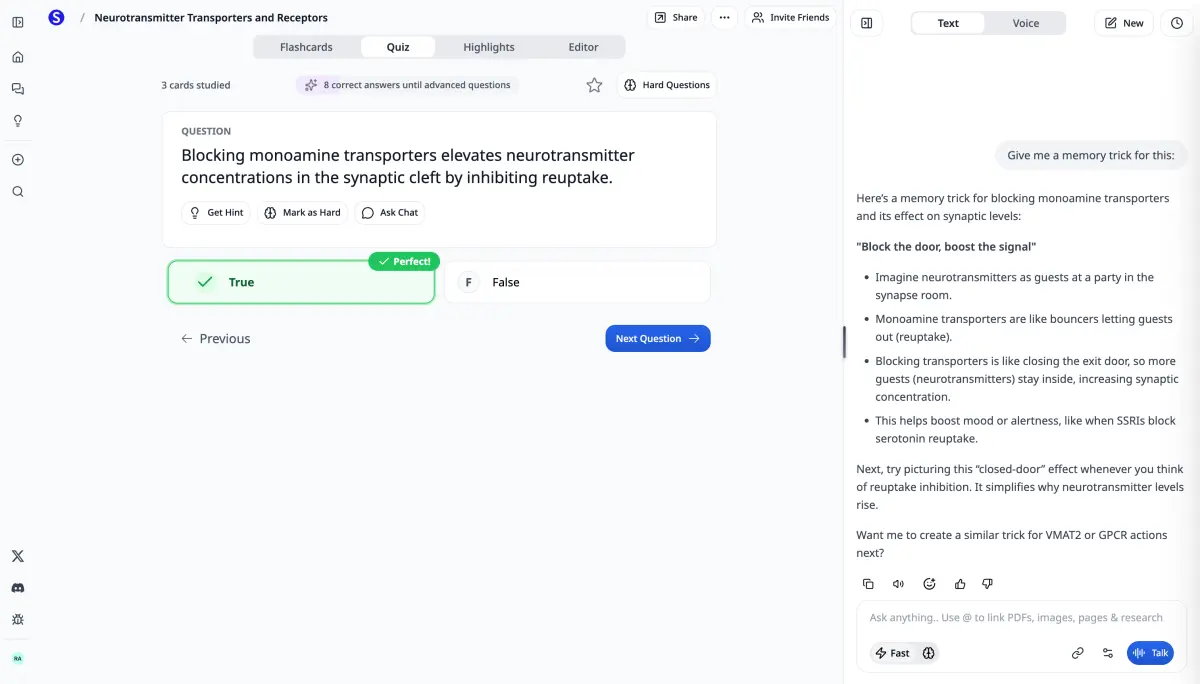
Test yourself with quiz mode to find gaps in your knowledge before the actual exam. Works for any subject.

Export Anywhere

Export to Anki, print as PDFs, or share with classmates. Your flashcards are never locked in.

How It Works

Step 1: Upload Your Material

Upload lecture slides, textbook PDFs, or paste your class notes.

Step 2: AI Creates Cards

Our AI identifies key concepts and creates flashcards with questions and answers.

Step 3: Study & Review

Study with spaced repetition, take quizzes, or export to Anki. Your cards, your workflow.

Frequently Asked Questions

Can I make flashcards from my professor's PowerPoint slides?

Yes. Upload PowerPoint (.pptx) files directly and Scholarly's AI will extract the content and create flashcards. This also works with PDF versions of slides.

Does it work for any subject?

Yes. Scholarly works for any college course: biology, chemistry, psychology, history, economics, computer science, and more. Upload your material and the AI adapts to the content.

Can I share flashcards with classmates?

Yes. Share any flashcard set with a link. Study groups can divide up card creation across chapters and everyone gets access to the full collection.

Is it free?

Yes, you can create flashcards for free with Scholarly. The free plan includes generous limits, and premium plans offer unlimited flashcard creation.

Ready to Study Smarter?

Join college students who save hours on flashcard creation.

Save 60% with annual

Free

$0/month
  • 3 AI messages per day
  • 1 file upload per day (8MB)
  • 10 flashcard study sessions per day
  • 1 AI podcast, video lecture & slide deck per day
  • 1 exam attempt per day
  • 20-page PDF to flashcards
Most Popular

Ultimate

$12/month

$144 billed yearly

Everything in Free, plus:

  • Unlimited AI messages & autocomplete
  • Unlimited file uploads (up to 300MB)
  • Unlimited study sessions
  • Unlimited podcasts, video lectures & slide decks
  • Unlimited exams & quizzes
  • 1,000-page PDF to flashcards
  • Export to Anki
  • Priority support

Pricing in USD. Local currency available in app.

Compare plans

Feature

Free

Ultimate

AI Messages

3/day

Unlimited

File Uploads

1/day (8MB)

Unlimited (300MB)

Study Sessions

10/day

Unlimited

PDF to Flashcards

20 pages

1,000 pages

Podcasts & Videos

1/day

Unlimited

Exams & Quizzes

1/day

Unlimited

Autocomplete

500 words/day

Unlimited

Export to Anki

Included

Support

Standard

Priority

Trusted by students worldwide

Scholarly has been a valuable tool for my studies. The AI-generated flashcards and intuitive features make organizing and retaining information much easier.

Briana

Briana

Student

This app is great for studying for big test. Drop your PDF's in the system and it'll do the trick. You can organize it specifically for your needs.

Kelvin

Kelvin

Student

I am currently preparing for a test that covers a substantial amount of material, and I've found that not having to physically write out my flashcards has been incredibly beneficia...

Isabelle

Isabelle

Student

Scholarly is great for students. I am enrolled in online university and my classes are all PDF based. All I do is upload the PDF and it creates flashcards decks for me. The greate...

Alexandra

Alexandra

Student

Your questions, answered

Is Scholarly free to use?

Yes! Our free plan includes all core features with daily limits. You can create flashcards, use AI chat, upload files, and study — all without paying. Upgrade to Ultimate for unlimited access.

Can I cancel anytime?

Absolutely. There are no contracts or commitments. You can cancel your subscription at any time from your account settings, and you'll keep access until the end of your billing period.

What payment methods do you accept?

We accept all major credit and debit cards through Stripe. Pricing is displayed in USD by default, but local currency is available in the app.

Do you offer discounts for educators?

Yes, we offer special pricing for educators and educational institutions. Contact us at [email protected] for details.

What happens when I hit a free plan limit?

You'll see a prompt to upgrade. Your existing work is never lost — limits only apply to new daily actions like AI messages, uploads, and study sessions. Limits reset every day.

For Educators or Schools

Contact us for special pricing at [email protected].