




1 free creation, like a video, podcast or flashcards
Videos and podcasts up to 2 min
Upload 1 file, up to 8 MB
Try chat and quizzes on it
Your whitepaper as video, podcast and deck.Content marketing from what you already made.
Bring the report, the webinar recording or the product doc. Each piece is built from what it says, so review means checking, not rewriting.
Used by 250,000+ learners and professionals worldwide

What Scholarly does for content marketers. And what it leaves to your other tools.
Scholarly turns what you already have (whitepapers, reports, webinar recordings, blog posts, product docs, customer interviews) into narrated explainer videos, podcast episodes, slide decks, infographics and written drafts, each built from that source. Chat answers questions about the source and cites the page, which makes claim-checking quick. The Terms allow commercial use of what you make. It does not edit your footage, cut highlight clips, research keywords or schedule posts.
Best for: the marketer or small content team with good long-form material and no production week. Or the freelancer repurposing it for a client.
- What goes in: PDFs, Word files, decks, spreadsheets, web links, YouTube videos, audio and video recordings, and files from Google Drive, Dropbox or Notion, up to 10 sources per creation on Premium and 20 on Laureate.
- What comes out: Videos up to 45 minutes, podcasts up to 60, decks of 5 to 30 slides, infographics, case studies and other documents. Paid plans download MP4, MP3, PowerPoint, PDF and Word.
- Free plan: One lifetime file upload (8 MB, first 32 PDF pages) and one lifetime AI Creation Credit: enough to test a 2-minute video at 720p, with Scholarly branding and no download. No credit card.
- Personal plans: Premium is $30 a month or $180 a year, with 15 AI Creation Credits a week. Laureate is $99 a month, with 80. A video or episode costs 1 credit with the default model, plus 1 above 15 minutes and 2 above 30.
- Scholarly Teams: Premium for Teams is $35 per seat a month or $336 per seat a year. Laureate for Teams is $110 per seat a month or $1,056 per seat a year. Self-serve from 1 to 29 seats, on one bill.
The whitepaper took six weeks. It got one launch email.
The gated report
Forty pages become an explainer for the landing page, an episode for the newsletter and a one-pager sales will actually open.
The webinar
Upload the recording or paste its YouTube link. You get a transcript and notes, then a recap video, a deck and a written draft from what was said.
The product launch
Release notes and the positioning doc become a launch explainer and a customer deck, in each language you sell in.
The customer call
Upload the interview and get a case study draft. It reports only the outcomes the call reports, and lists the rest as open questions.
One report. Five things to publish. Each for a different channel.
For the landing page. Narrated, with chapters, captions and a transcript, up to 45 minutes on a paid plan and in 70+ languages. Turn the logo off when you generate, then download the MP4 or embed it on your site.
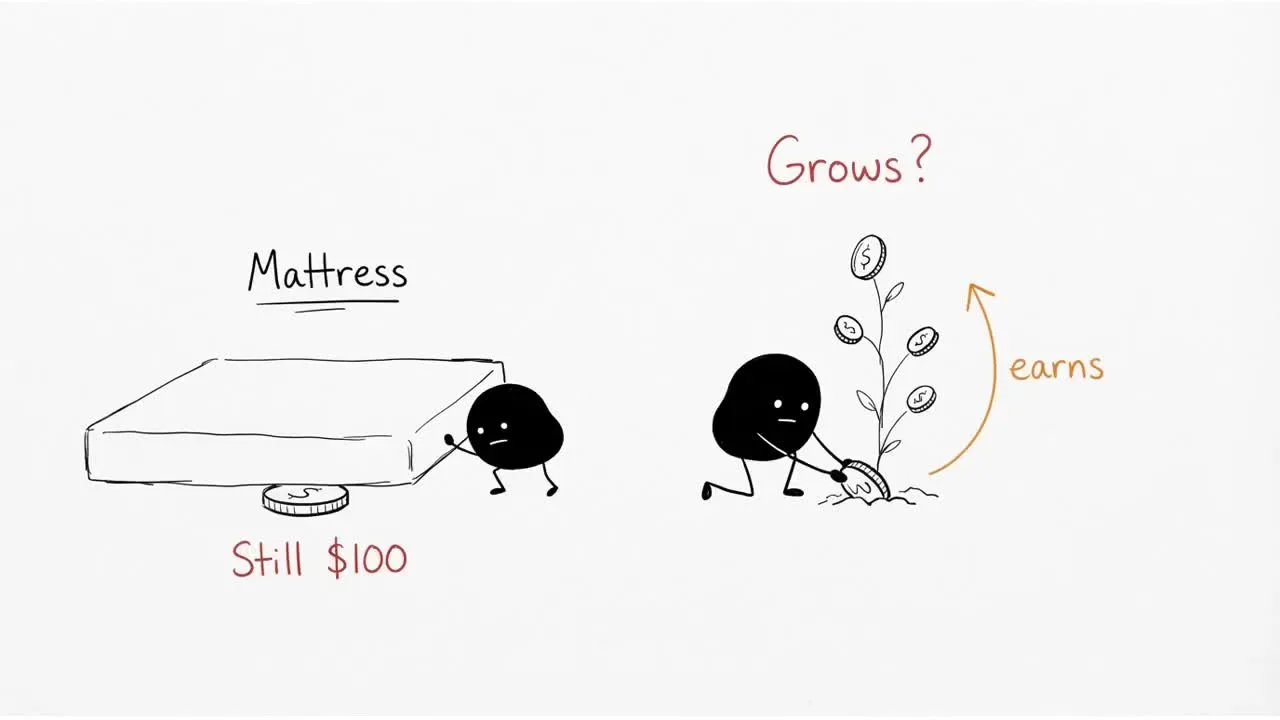
A real Scholarly video in the Doodles style. Press play.
Also from the same source: a vertical Short, AI images, Deep Research
Legal asks where the 38% came from. The page is one click away.
Chat answers cite the page, so whoever is checking can read the sentence behind the stat. Videos and episodes list the sources they were built from. A citation that doesn’t resolve to one of your sources is removed before the answer is saved.
State of Onboarding 2026.pdfPage 14
Time to first value
We surveyed 412 software teams between March and May. 38% cut onboarding time by half or more after adopting a guided setup.
The median reduction across all respondents was 22%.
Can our headline say most teams cut onboarding time in half?
Not from this report. 38% of the 412 teams surveyed cut it by half or more p. 14. The median reduction was 22% p. 14. “38% of teams cut onboarding time in half” is the line it supports.
1 sourceSample
Say how your brand sounds once. Then pick it at the top of every format.
A Customization Profile saves your audience, tone, terminology and brand rules, a preferred AI model and up to four visual references. It’s on every plan, in every creator’s Customize step.
- Podcasts, decks, documents and videos all read the same written rules
- On a Standard video, the profile’s colors and references set the look. Typeset infographics keep their own palette
- One-off instructions still apply on top, for this audience or this campaign
Name
Northwind brand
Reusable instructions
Audience: operations leads at mid-size companies. Tone: plain and direct. Say “customers”, never “users”. No superlatives. Every statistic names where it came from.
Visual references
N
SampleFrom PDF to published in three steps. You did the writing before you got here.
1Add the source.
Upload the PDF, deck or recording, paste a blog post or YouTube link, or pull it from Google Drive, Dropbox or Notion.
2Choose the format.
Pick the length, language and profile. A 10-minute video usually takes 16 to 33 minutes to generate, and you can close the tab.
3Check it, then ship it.
Watch it once against the source. Then download the file, embed the video on your site or send someone the link.
Keep the rest of your stack. These do jobs Scholarly doesn’t.
Descript or OpusClip, to cut what you filmed
Descript edits a recording by editing its transcript. OpusClip finds the strong moments in a long video and cuts them into captioned shorts. Scholarly doesn’t touch your footage: it makes new scenes from what was said.
Jasper, for campaign copy at volume
Stored brand voices, agents for email, social and SEO content, and pipelines that connect to your other tools. Scholarly has no campaign workflow. It is for making one long source into a video, an episode or a deck.
Semrush, to decide what to write
Topic research with demand and difficulty, SEO briefs, optimization for Google and AI search, and publishing to WordPress. Scholarly has no keyword data and no idea what you should rank for.
Synthesia or HeyGen, for a presenter on camera
Both put an AI avatar on screen, and both can draft the script from a document. Scholarly has no avatars: a narrator talks over animated scenes, charts and figures from your source. If the piece needs a face, use one of these.
One content marketer needs one account. A team adds a library, roles and one bill.
Everything above works on a personal plan. Scholarly Teams is the same product, plus the parts that only make sense with colleagues.
See Scholarly TeamsMore than 29 seats, or need an invoice? Email hello@scholarly.so.
- A shared library of briefs, product docs and finished pieces the team can search
- Shared profiles and a brand kit with your logo and colors, set by an Owner or Admin
- Owner, Admin and Member roles, with control over which AI models the team can use
- Activity per member over 7 or 30 days, with titles and prompts kept private
- One bill
What content marketers ask before they upload the whitepaper.
How do I repurpose a whitepaper or product doc into video and audio with AI?
Add the document as a source, choose Video or Podcast, set the length, language and any instructions (“for a CFO, skip the methodology”), and create. Paid plans can combine up to 10 sources, or 20 on Laureate, so a spec can sit beside the positioning doc. Then make the next format from the same source without uploading it again. It explains what the document says with new animated scenes; it does not record your product, though screenshots and figures in the document can appear in the video.
Can I turn a blog post into a podcast?
Yes. Paste the post’s link or its text, pick a style, a language and a cast, and create. A post is short, so set a short target: an episode runs shorter when the source runs out of material. Free makes one episode of about 2 minutes. Paid plans set 5 to 60 minutes and download MP3 and MP4.
Can it repurpose a webinar or interview recording?
Yes. Upload the video or audio, and you get a timestamped transcript and structured notes for no AI Creation Credit, up to 10 hours on a paid plan. A recap video, deck or draft from it uses credits. Uploads cap at 300 MB on Premium and 1,000 MB on Laureate, so export the audio from a long webinar, or paste the YouTube link if it’s already posted. The transcript doesn’t label speakers, and Scholarly doesn’t cut your footage into clips.
Will it sound like our brand?
It follows what you tell it. Save your audience, tone, terminology and brand rules in a Customization Profile and choose it when you create. It works from those instructions, not a model trained on your past writing, so expect to edit the first draft and tighten the rules as you go. On a Standard video the profile also sets the look. There are no voice clones: podcast and video narration use the voices in the picker.
Can we publish what we make, including for clients?
Yes. The Terms assign you whatever rights Scholarly holds in your outputs and allow personal, professional and commercial use, including after you cancel. Client work is fine. Third-party images, quotes and data keep their own licenses, and AI output may not qualify for copyright protection, so check with counsel if that matters for a piece.
Can I embed a video on our website or landing page?
Yes, video lectures only. Share the video with a link open to anyone, then copy the embed code. An embed from a paid account shows no Made with Scholarly link. Podcasts have no embed, so publish the MP3 through your podcast host. Or download the MP4 and use your own player or video host.
Does it write blog posts and social posts?
It drafts them from your source. The Document Creator and Pages produce a long draft you can export to Word, Markdown, HTML or Google Docs on a paid plan. Chat will draft a LinkedIn post or a newsletter blurb from the same material. For the feed, there is a vertical Short and images in 1:1, 9:16 and 16:9. Infographics have no square option. Scholarly has no scheduler, no direct publishing to social networks and no SEO scoring.
How do I keep AI from inventing claims in published content?
Start from a source, not a prompt. Most document types are told to use only what you attach and not to invent figures, and chat citations that don’t resolve to a source are removed before the answer is saved. That proves the source exists, not that every sentence is right. These are instructions and checks, not a guarantee, so someone who knows the material should read each piece before it ships.
How is this different from ChatGPT or Jasper? Does it replace our writers?
ChatGPT is a strong general assistant and can read a document too. Jasper is built around campaign copy, brand voice and marketing workflows. Scholarly’s difference is what you end up with: a narrated video, a podcast episode, a deck or a finished file built from your source. It doesn’t replace writers. They decide what is worth saying and approve what ships. It does the production between the two.
Can we localize a video into other languages?
Yes. Narration, captions and transcript come in 70+ output languages and regional variants, and the source doesn’t have to match. From a finished lecture, Another language makes a new version for 1 AI Creation Credit: the same scenes and figures, with narration and on-screen text rewritten natively rather than word for word. A native speaker should still check anything customer-facing.
Is unreleased product material private?
Your uploads stay private until you share something, and you choose who can open it: people you invite, your team, anyone with the link, or public. An embed needs an anyone-with-the-link share, so don’t embed anything under embargo. Scholarly’s Terms of Service (section 7) state that private User Content is not used to train general-purpose AI models, and an optional training program requires separate opt-in. For hosting requirements, contact us.
Try it on one real report. Buying for the team? Switch to Business.
Pricing shown in USD by default. Local currency may be available in app or at checkout.