AI tools to train, onboard, and upskill your employees
Give your team one workspace that turns your company's own docs, recordings, SOPs, and onboarding material into training decks, podcasts, knowledge checks, searchable meeting notes, and cited answers — grounded in your material, not generic internet content.
Free to start · No credit card · 70+ languages
How Businesses Use Scholarly
Onboard new hires faster
Turn your handbook, process docs, and onboarding PDFs into training decks, podcasts, and knowledge checks new hires can actually work through — so day one to fully ramped is shorter, and nothing important gets skipped.
Train employees on roles and products
Drop in product specs, playbooks, and internal decks, then generate role-specific training slides, quizzes, and study guides that test real understanding of how the work is done — not memorization of trivia.
Capture meetings and calls
Record team meetings, trainings, and calls, or upload the audio. Get accurate transcripts and structured, searchable AI Meeting Notes the whole team can review and search later — decisions and action items, not a wall of text.
Make long internal docs digestible
Feed in dense compliance, process, and policy PDFs and get clear summaries, study guides, and cited answers your team can trust — so people actually absorb the material instead of skimming a 60-page file.
Built for Training, Onboarding & L&D
Onboarding & training decks
Turn internal docs into AI-generated slides your team can present or self-serve — a structured path through your own material, ready in minutes instead of days.
AI video lectures & training podcasts
Turn dense onboarding and process docs into narrated AI video lectures or conversational podcasts — a second explanation of hard material employees can review on the commute.
Grounded, cited answers
Ask questions across one document or your whole knowledge base — every answer cites the source passage, so employees verify against your real material before they rely on it.
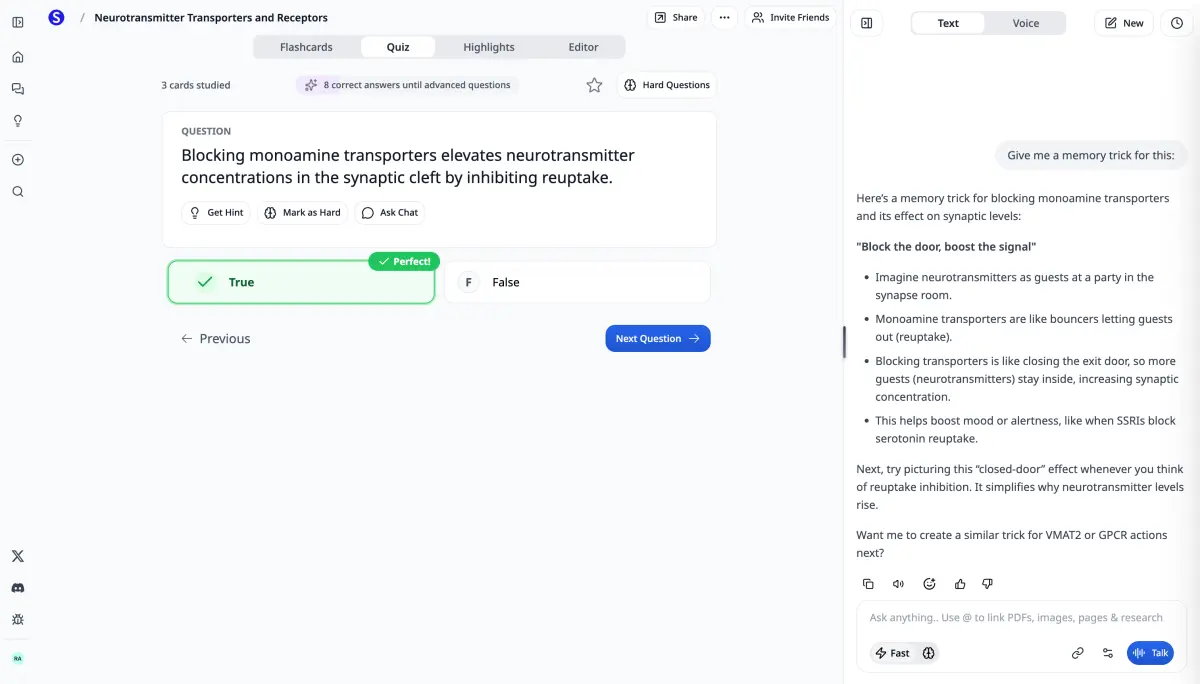
Quizzes, knowledge checks & study guides
Generate assessments straight from your training material — grounded in how your company actually works, so learning reinforces understanding, not rote recall.
Give Your Whole Team the Tools
Scholarly Teams puts your company or department on one plan. Every paid feature unlocks for every member the moment they accept their invite — no per-person paywalls, no upgrade prompts, one central bill.
- Every paid feature unlocks automatically for every member
- Access the top AI models reserved for Teams — Opus 4.8, Fable 5, Sonnet 5, and GPT-5.5 — across every feature
- Every member gets their own 450 AI credits per week, resetting weekly — not a shared pool
- Shared source libraries so your team works from the same onboarding and training material
- Admin controls: invite by email or link, Member and Admin roles, team-wide model access
- One central Stripe bill — self-serve from 3 to 29 seats
Self-serve up to 29 seats. For more seats, a whole company, or invoicing, email hello@scholarly.so.
How It Works
Bring in your material
Handbooks, SOPs, product docs, recorded trainings, meeting audio, slides, and links — everything your team needs to learn, in one workspace.
Ask and understand
Chat with your documents, get summaries and meeting recaps, and verify every answer against the cited passage it came from.
Turn it into training output
Generate onboarding decks, training podcasts, quizzes, study guides, AI video lectures, and searchable meeting notes — all from your company's own sources.
Frequently Asked Questions
How is this different from a general AI chatbot?
Scholarly is source-grounded: it answers from the docs, recordings, and material your team uploads, and cites the exact passage every time. Employees can verify each answer against your real material instead of trusting a generic model that may invent facts about how your company works.
Can I put my whole company or department on one plan?
Yes. Scholarly Teams puts a company, department, or team on one plan. Every paid feature unlocks for every member automatically when they accept their invite, with shared source libraries, admin controls, and one central bill. Teams start at 3 seats and are self-serve up to 29 seats; for larger companies or invoicing, email hello@scholarly.so.
Is this an engagement or streak app for employees?
No. Scholarly is a set of genuinely useful tools on your company's real material — not a streak, gamification, or notification app. The goal is understanding: employees learn how the work is actually done from your own docs, not by chasing points.
What AI models do Teams get?
Teams unlock the top tier of AI models reserved for Teams — Opus 4.8, Fable 5, Sonnet 5, and GPT-5.5 — across every AI feature. Admins choose which model tiers the team may use. Every member also gets their own 450 AI credits per week, resetting weekly.
Is our internal material private?
Your uploads are private to your account and are not shared with other users. On a team, members work from shared libraries you control, and you can delete materials at any time.
Keep exploring
Tools that pair well
Build a complete training-and-onboarding stack with these tools.
AI Meeting Notes Generator
Meetings and calls to shareable notes.
PDF Summarizer
Long internal docs to key points.
Audio to Notes
Trainings and calls to structured notes.
Lecture Transcription
Accurate transcripts from any recording.
Study Guide Generator
Onboarding docs to clear study guides.
Quiz Generator
Knowledge checks from your material.
AI Presentation Generator
Docs to training decks.
PDF to Podcast
Process docs for the commute.
PDF to Slides
Handbooks to editable slides.
Podcasts
Turn material into training audio.
AI Slides
Generate decks from your sources.
Recordings
Capture meetings and trainings.
Deep Research
Cited write-ups from your sources.
AI Video Lectures
Narrated lessons from your docs.
Scholarly for Professionals
A workspace built for professional learning.
Scholarly for Consultants
Turn client material into deliverables.
Ready to Give Your Team Better Tools?
Start free, or put your whole company or department on one Scholarly Teams plan.
Free
- 3 AI Chat messages per day
- 3 free AI creations total
- 1 free file upload total (8MB)
- 5 quiz questions per day
- 1 exam attempt per day
- 15 voice minutes per day
- 32-page PDF to flashcards
- 500 autocomplete words per day
Use it to generate flashcards, improve a deck, or create a podcast, video lecture, slides, infographic, mind map, study guide, worksheet, spreadsheet, story book, timeline, SOP, flowchart, lesson plan, or outline — or run Deep Research or turn a recording into AI Meeting Notes.
Ultimate
$144 billed yearly
Everything in Free, plus:
- Unlimited normal chat & autocomplete
- Unlimited premium model messages
- Unlimited AI creations
- Unlimited file uploads (up to 300MB)
- Unlimited study sessions
- Unlimited exams & quizzes
- 1000-page PDF to flashcards
- Export to Anki
- Priority support
Pricing in USD. Local currency available in app.
Teams
For teams that need shared AI study workflows
$45/seat/month, or $324/seat/year with annual billing. Save 40% annually.
- 3-seat minimum
- 450 weekly credits per member
- Premium models and admin controls
Every feature unlocked for everyone, frontier AI models, and per-member weekly credits. Learn more about Scholarly for Teams
Compare plans
Feature
Free
Ultimate
3/day
Unlimited
—
Unlimited
3 total
Unlimited
Uses AI creations
Unlimited
1 total (8MB)
Unlimited (300MB)
32 pages
1000 pages
5/day
Unlimited
1/day
Unlimited
15 min/day
1 hr/day
500 words/day
Unlimited
—
Included
Standard
Priority
What students say
Scholarly has been a valuable tool for my studies. The AI-generated flashcards and intuitive features make organizing and retaining information much easier.
Briana
Student
This app is great for studying for big test. Drop your PDF's in the system and it'll do the trick. You can organize it specifically for your needs.
Kelvin
Student
I am currently preparing for a test that covers a substantial amount of material, and I've found that not having to physically write out my flashcards has been incredibly beneficia...
Isabelle
Student
Scholarly is great for students. I am enrolled in online university and my classes are all PDF based. All I do is upload the PDF and it creates flashcards decks for me. The greate...
Alexandra
Student
Your questions, answered
Is Scholarly free to use?
Yes! The free plan includes core study tools with clear limits: 3 AI Chat messages per day, 3 free AI creations total, 1 free file upload total, quizzes, practice exams, and manual flashcard creation. Upgrade to Ultimate for unlimited AI creations and unlimited uploads.
What uses my free AI creations?
Generating flashcards, improving a flashcard deck, making a podcast, creating a video lecture or infographic, building slides, a spreadsheet, or a story book, making a mind map, study guide, or worksheet, having an AI Agent create a timeline, SOP, flowchart, lesson plan, or outline, running Deep Research, or processing a recording each uses one of your 3 free AI creations. They are lifetime free credits and do not reset. AI Chat messages, quizzes, and exams still have separate daily limits; free file uploads are also lifetime credits.
Can I cancel anytime?
Absolutely. There are no contracts or commitments. You can cancel your subscription at any time from your account settings, and you'll keep access until the end of your billing period.
What payment methods do you accept?
We accept all major credit and debit cards through Stripe. Pricing is displayed in USD by default, but local currency is available in the app.
Do you offer discounts for educators?
Yes, we offer special pricing for educators and educational institutions. Contact us at hello@scholarly.so for details.
What happens when I hit a free plan limit?
You'll see a prompt to upgrade. Your existing work is never lost — limits only apply to new actions. Free AI creations and the free upload are lifetime credits and do not reset. Upgrading unlocks unlimited AI creations and unlimited uploads.
For Educators or Schools
Contact us for special pricing at hello@scholarly.so.