Research the Web, Then Make a File
The new Research page searches the web for your question, checks what it finds against primary sources, and turns it into a PDF, a Scholarly Page, or a Word, PowerPoint, or Excel file saved in your project.

Some questions need the latest figures. When an exam asks about this year's interest rates, the textbook can't help. A client briefing on a regulation needs the dates that apply now, not the ones from last spring. Until now you had to do that reading yourself, then paste it into Scholarly.
The new Research page does the reading for you. Type a question, pick the file you want, and Scholarly searches the web, reads the sources, and builds the file from what it found. Every fact links back to the page it came from.
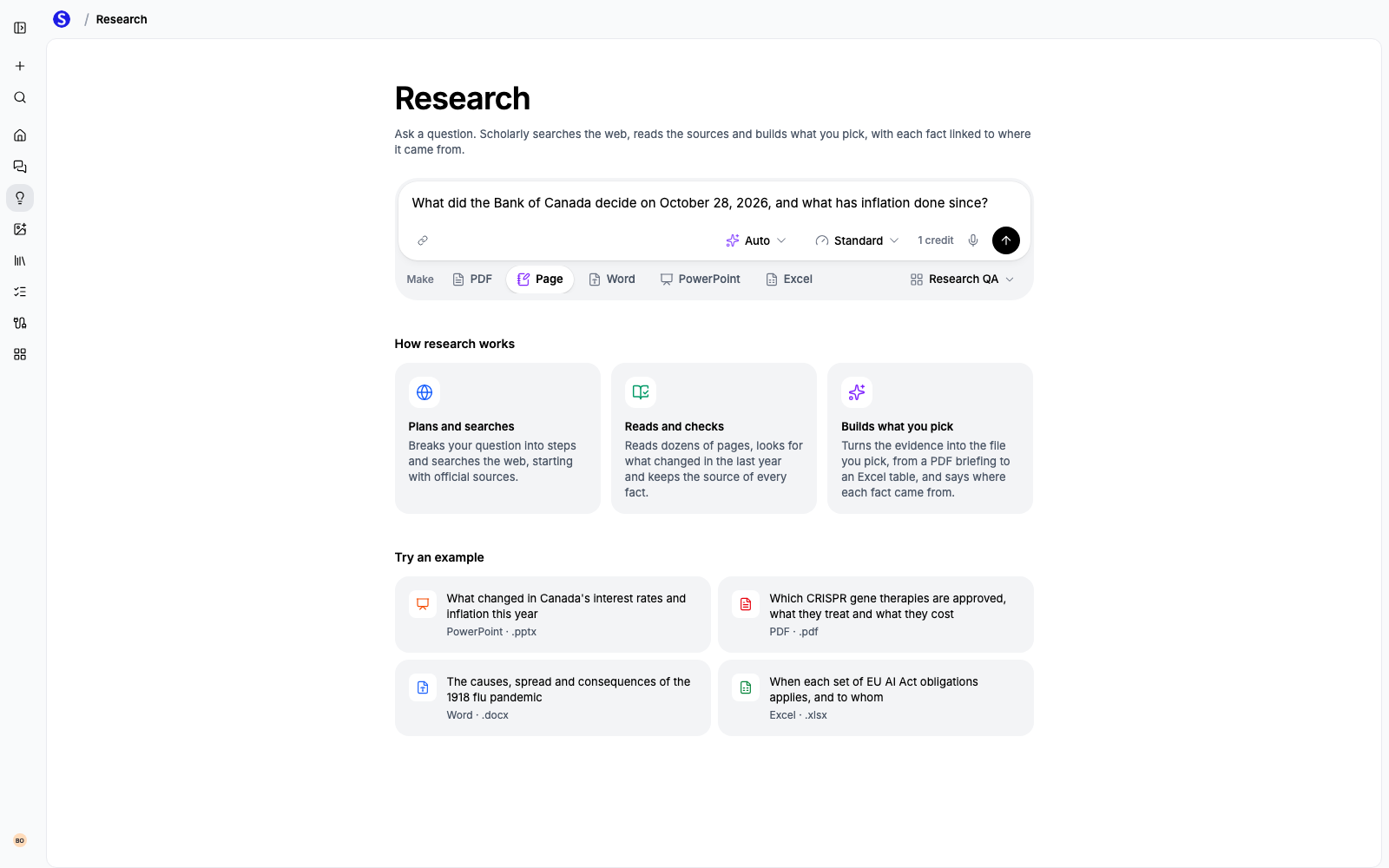
Ask a Question, Pick a File
Write your question the way you would ask a colleague. "What did the Bank of Canada decide on October 28, and what has inflation done since?" works better than a list of keywords, because the research plans its searches from your wording.
Under the box, choose what to make:
- PDF for a briefing you can print or send.
- Page for a Scholarly Page you can edit, share, and keep adding to.
- Word for a .docx document.
- PowerPoint for a slide deck.
- Excel for a comparison table with a source column for every figure.
Every AI Creation goes into a project, so the file sits next to the sources and notes for the same goal. Scholarly picks your most recent project, and you can switch to another one or create a new one from the same menu.
How the Research Works
Research takes three steps before anything is written:
- Plans and searches. It breaks your question into parts and searches for each one, starting with official sources such as governments, regulators, central banks, and universities.
- Reads and checks. It reads the most useful pages, looks for anything that changed in the last year, checks figures that look off against another source, and records where every fact came from.
- Builds what you picked. The file is written from that evidence, with links to the sources.
You can follow along on the progress page while it runs. Most research finishes in a few minutes.
Add Your Own Files
Research works alongside your own material. Attach a PDF, lecture notes, a recording, an image, or anything in your Library, and Scholarly uses them together with the web. This is useful when your source is a year old: the research adds current figures and recent changes your file doesn't cover.
Pages Built From Research
A Page is the most flexible format. Headings, tables, lists, and source links become normal Page blocks, so you can edit any part of it, add your own notes, or ask AI Chat to rewrite a section.
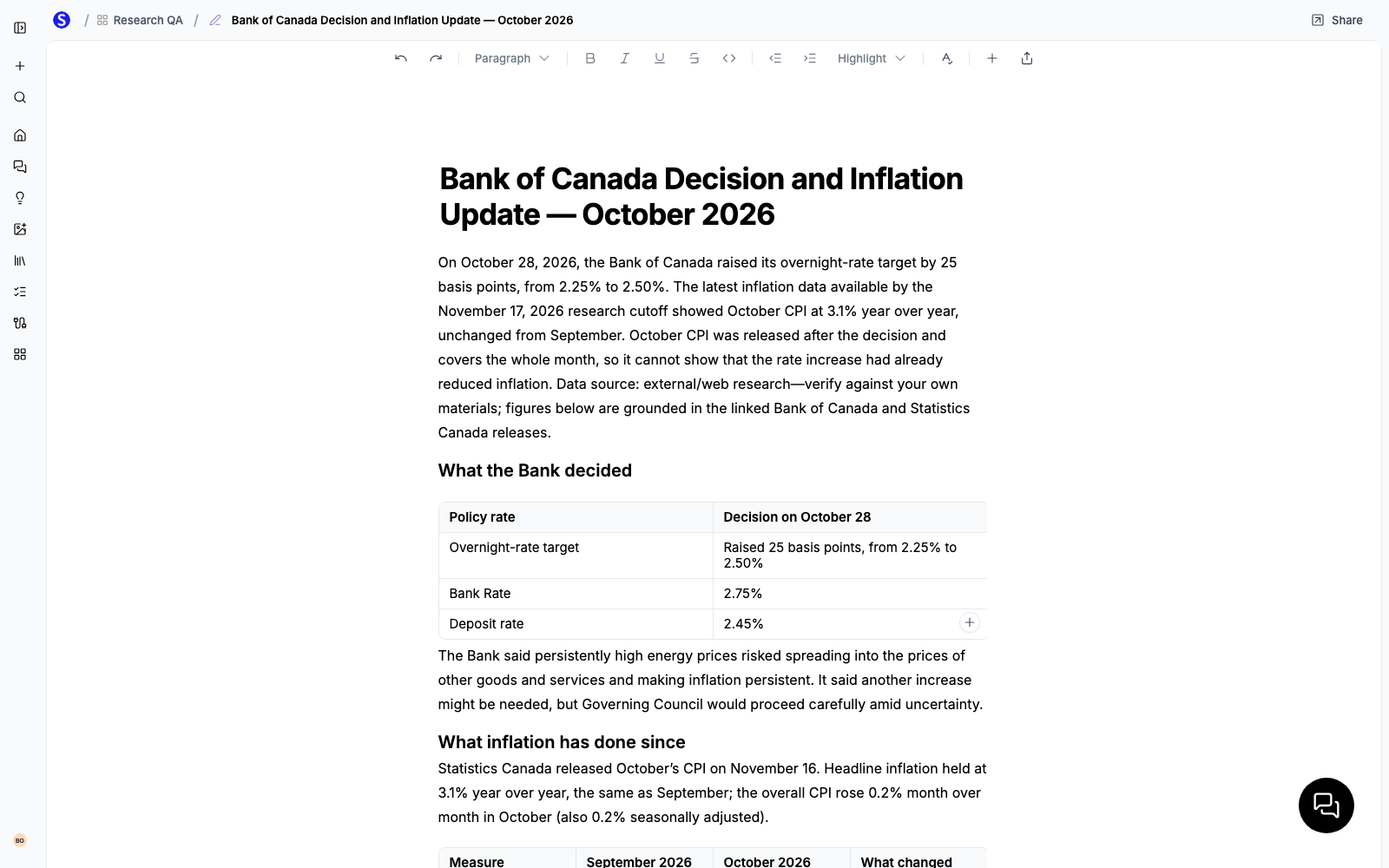
The Page ends with the sources it used, so you can check any figure in one click.
Standard or Deep
Next to the model picker, choose how much research to do:
- Standard uses the creation's usual AI Creation Credits. On Auto, that is one credit.
- Deep takes a second pass to find more sources for two more credits. In our tests, Deep gathered about twice as many facts for the same question. Use it for broad topics, literature reviews, or anything where a missed source would matter.
The credit cost shows next to the send button before you start, and you can pick any model your plan includes.
Try It
Open Research and try one of the examples on the page, or ask about something you're studying or working on this week. If you'd rather start in chat, ask AI Chat to research a topic and make slides or a report from it. It uses the same research.