Edit your creations in AI Chat
Ask AI Chat to revise your pages, flashcards, PDFs, files, Standard video lectures, and podcasts, using weekly premium usage instead of AI Creation Credits.
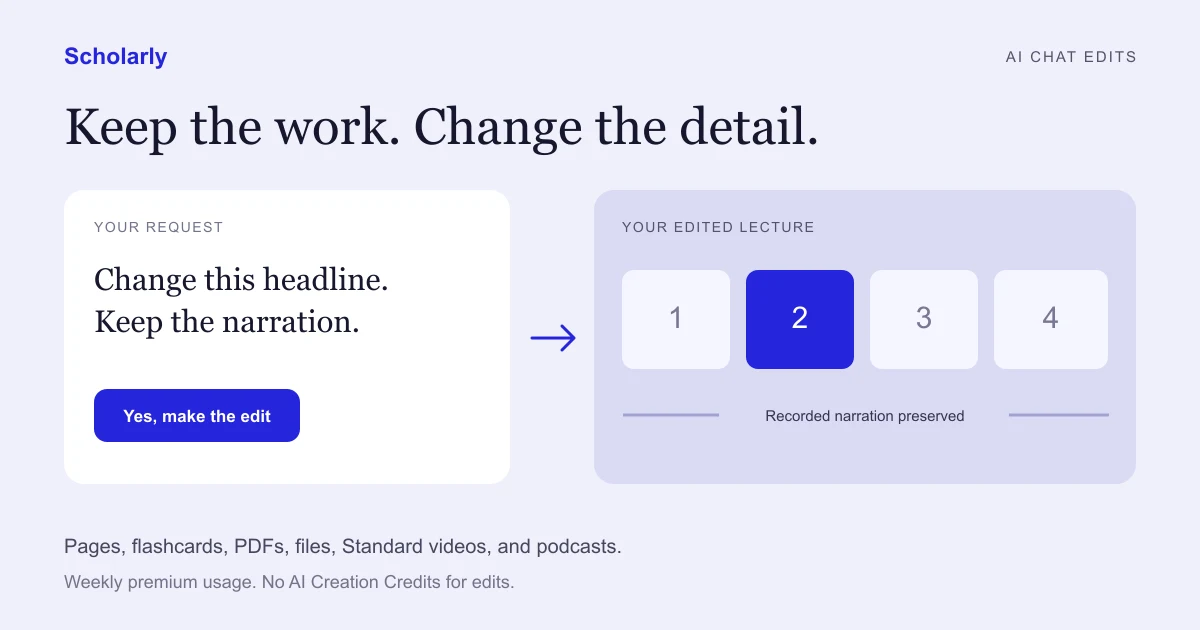
A lecture is almost right, but one headline needs fixing. Your flashcards need a clearer explanation. A PDF has an outdated date. You want to change that part and keep the work you already like.
You can now ask Scholarly AI Chat to edit those creations. Describe the change, review the confirmation, and let it work in the background while you keep chatting.
Edits use a little of your weekly premium usage instead of AI Creation Credits. Standard video lectures and podcasts keep their original and save an edited version.
Start with the change you want
Open the item and use its AI Chat, or name it in an existing conversation. Be specific about what should change and what should stay:
- Page: "Add a short explanation of active transport after this section. Keep the rest."
- Flashcards: "Explain why the answer to card 8 is correct, with one example."
- PDF or slides deck: "Correct the date on page 3. Keep the layout and pictures."
- File: "Update the dates in this document without rewriting the other sections."
- Standard video lecture: "Change scene 3's headline to 'Sugar stores sunlight'. Keep all narration unchanged."
- Podcast: "Shorten the introduction in chapter 1. Keep the rest of the episode."
AI Chat shows the proposed change and the usage notice before it starts. Confirm the request, and an editing card keeps you informed. The result appears in the same conversation, so you can review it without finding a separate job or starting a new chat.
Video edits keep the parts you did not change
A correction to one scene should preserve the rest of the lecture.
For Standard and Standard Fast video lectures, Scholarly renders the scenes that need changing and reuses the finished footage for untouched scenes. It reuses their recorded narration too. A headline-only edit does not need a new voice recording.
When you change spoken text in a scene, that scene can receive new narration and timing. The remaining scenes keep their recordings. Scholarly assembles the result into a new video version, and you can still open the original.
This is for focused changes to an existing lecture. Freestyle and Ultimate video edits are not part of this update. If the saved material cannot support a safe edit, Scholarly stops rather than silently regenerating the whole lecture.
Podcast edits reuse unchanged chapters
Podcast edits follow the same idea at the chapter level. Scholarly records the chapters that need changing and reuses audio from the others, then saves the result as a new version.
That makes requests like shortening an introduction or correcting an explanation useful without re-recording the entire episode. This edit flow needs at least one unchanged chapter, so a single-chapter episode needs a different approach.
You keep the original episode alongside the edited one.
Keep refining the same item
If you remember another change while an edit is running, ask in the same chat. The request can join the edit already in progress, letting it work on both changes together.
A later video or podcast edit starts from the latest finished edited version. If you correct scene 2 and then change scene 3, the second version keeps the scene 2 correction. If an earlier version is still rendering, the later edit waits for it.
For pages, flashcard decks, and library files, review the applied changes and use Undo where it is offered. Video lectures and podcasts use their version list to keep earlier results available.
How usage works
AI edits use the weekly premium allowance on eligible paid plans. The confirmation shows the usage information before you agree. They do not spend AI Creation Credits.
A major rewrite is a different request. If a video or podcast change would require re-recording most of it, AI Chat can offer to make a new creation instead. That uses AI Creation Credits and needs its own confirmation. An edit is never permission to start a full remake automatically.
Free accounts need a plan with premium usage to start an AI edit. You can check the available plans and allowances on the pricing page.
Try one small correction
Choose something you already made and tell AI Chat exactly what to improve. For a video, try changing one headline while keeping the narration. For a page or PDF, name the section or page and the correction.
The useful first request is simple: "Change this part, and keep the rest."