Video Lectures: Fresh Color Themes and Dark Mode
Standard video lectures now draw a hand-tuned color palette for every generation, and a new Dark Mode toggle renders the whole lecture on a clean dark theme.
Scholarly's Standard video lectures have always had a strong look: cream paper, crisp serif headlines, and one confident blue accent - a textbook chapter in motion. But if you generate videos regularly, you have seen that exact frame many, many times.
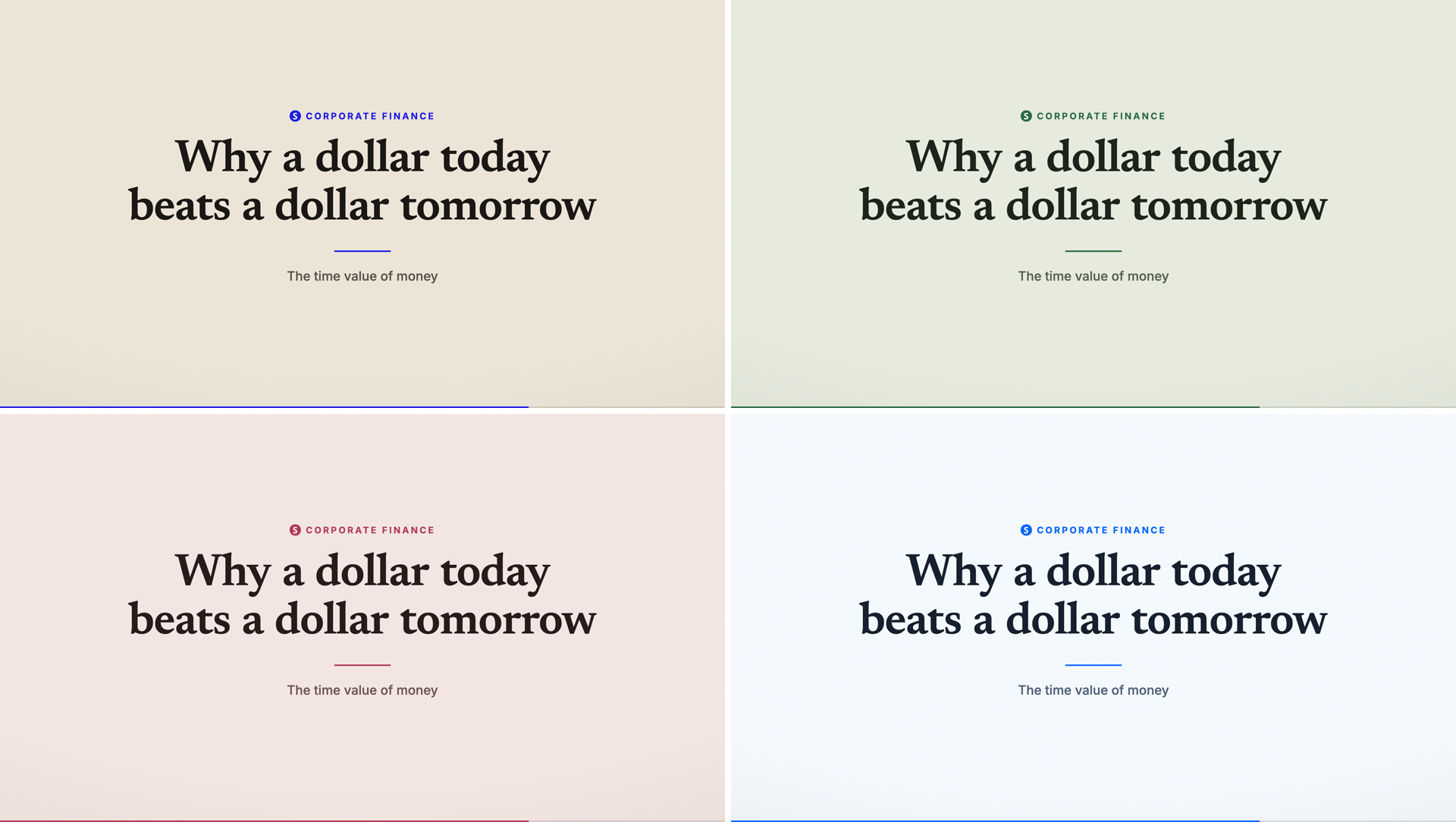
Starting today, every Standard lecture draws its own color palette. Same editorial design system - typography, spacing, motion, and scene structure are untouched - but the paper, ink, accent, charts, cards, and highlights all follow a palette drawn fresh for that generation.
A curated pool, not a random color picker
Each palette in the rotation is hand-tuned end to end, the same way the original editorial look was: a tinted paper ground, a matching deep ink, one accent that carries the punchline moments, and an eight-color chart series that stays legible on that specific background. The pool spans:
- Soft pastels - sage, blush, powder, lilac, butter, mint, plum, and more, with quiet accents that keep the calm study register.
- Brights - white-leaning paper with a hot coral or electric blue accent for a punchier frame.
- Editorial wildcards - grey newsprint with signal red, or golden ochre paper written in navy ink.
The classic cream-and-blue still leads the rotation, so the look you know remains the most common draw - the variants keep the rest feeling new. Colors never come from the AI: the renderer owns every palette, so a lecture can't come back with an unreadable frame. And each video keeps its palette for life - retries and re-renders reproduce the identical look.
Dark Mode, for lectures that look like your tools
There's also a new Dark Mode toggle when you create a Standard video. Turn it on and the whole lecture renders on a dark theme - one of five palettes tuned for dark grounds, in the register of the developer tools you stare at all day: near-black neutral surfaces, hairline borders, one bright accent, and chart colors picked to read on dark.
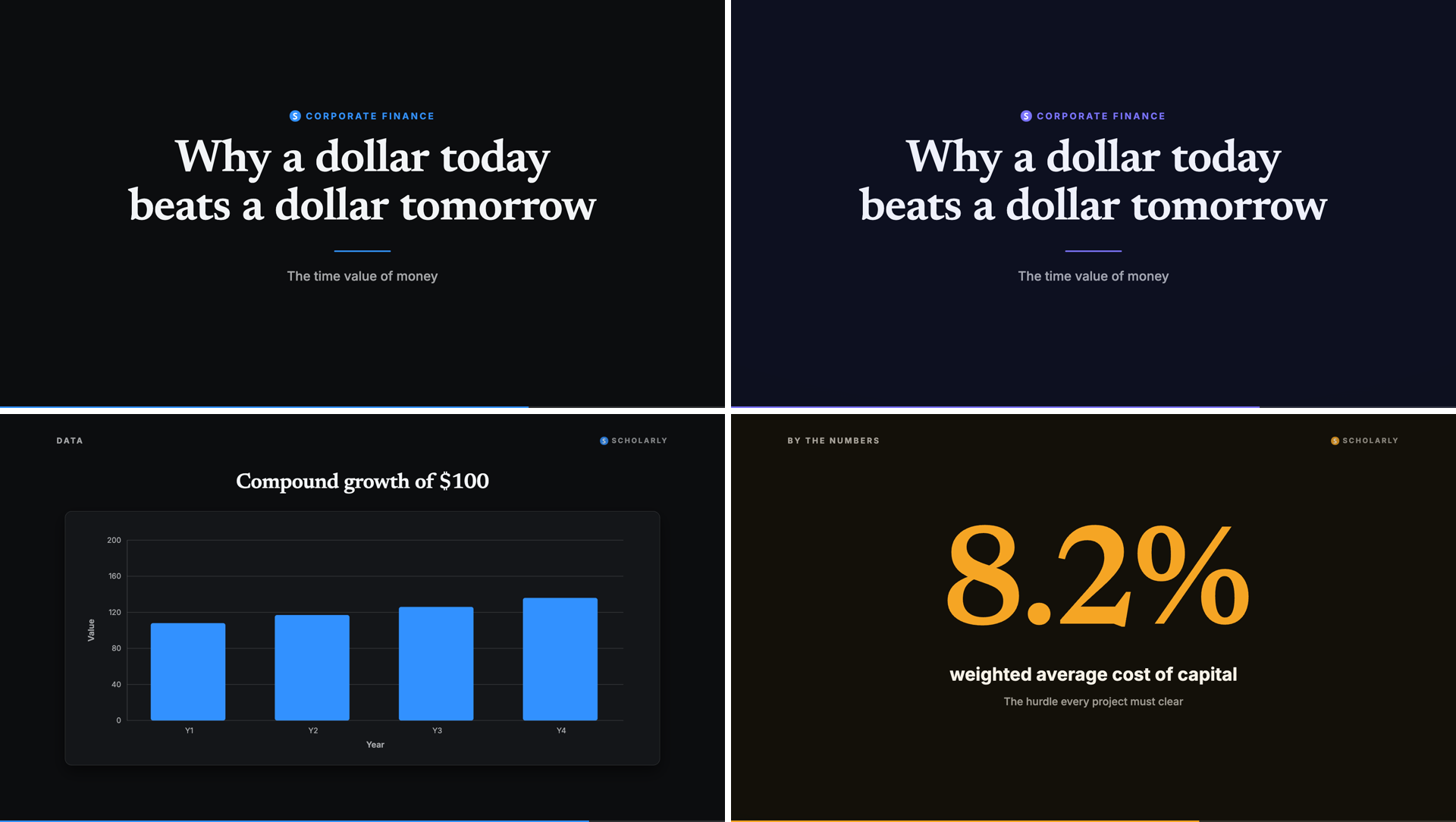
Everything gets the same treatment - title cards, definitions, comparisons, charts, stat cards, and even the animated diagrams rendered mid-lecture, which pick up the same palette so nothing flashes back to cream.
Nothing else changes
This is deliberately a color-only change. Narration, pacing, scene types, typography, and layout are exactly the design that was already working - and lectures you have already generated are untouched. If you use a saved Custom Design, it continues to override everything, exactly as before.
Open Scholarly and create a Standard video lecture from any PDF, deck, recording, or topic - the palette draw is automatic, and Dark Mode is one toggle away in the customize step. New to video lectures? The AI Video Lecture guide covers designs, lengths, voices, and everything else a lecture includes. Working from a plain block of text? The text to video tool produces the same Standard lecture, palette rotation and Dark Mode included.