AI Image Studio Improvements
A separate image allowance for Image Studio and chat, plus easier access and an updated image model lineup.

Image Studio now has its own image allowance, shared with image creation in AI Chat. You can try an illustration, compare a few visual directions, or edit a reference image without using the AI Creation Credits you keep for videos, documents, slides, and other artifacts.
More room to try things during beta
| Plan | Image allowance during beta |
|---|---|
| Free | 2 lifetime images, no reset |
| Premium | 40 per week |
| Laureate | 80 per week |
The allowance is the same whether you pay monthly or annually. Paid Teams members receive the allowance for their seat's plan, individually.
Image creation is in beta. These allowances may change as we learn how people use it. Your remaining images are shown in the product. Free includes 2 images for the lifetime of your account, with no reset. Paid allowances refresh every Monday at 00:00 UTC; unused images do not roll over, and the reset date is shown in the product.
One allowance across Studio and chat
Create an image in Image Studio, then ask for another in AI Chat: both use the same balance.
One new image or image edit uses one image from the allowance. Selecting three models in Studio creates three separate results and uses three images. If an image fails, its allowance is returned automatically. Deleting an image that completed successfully does not return its allowance.
AI Creation Credits remain separate. Images produced as part of a video, research report, or another agent-created artifact stay covered by that feature's existing charge. Those internal images do not also consume this new allowance. Normal chat message limits still apply when you ask for an image in chat.
Easier to find, with a refreshed model lineup
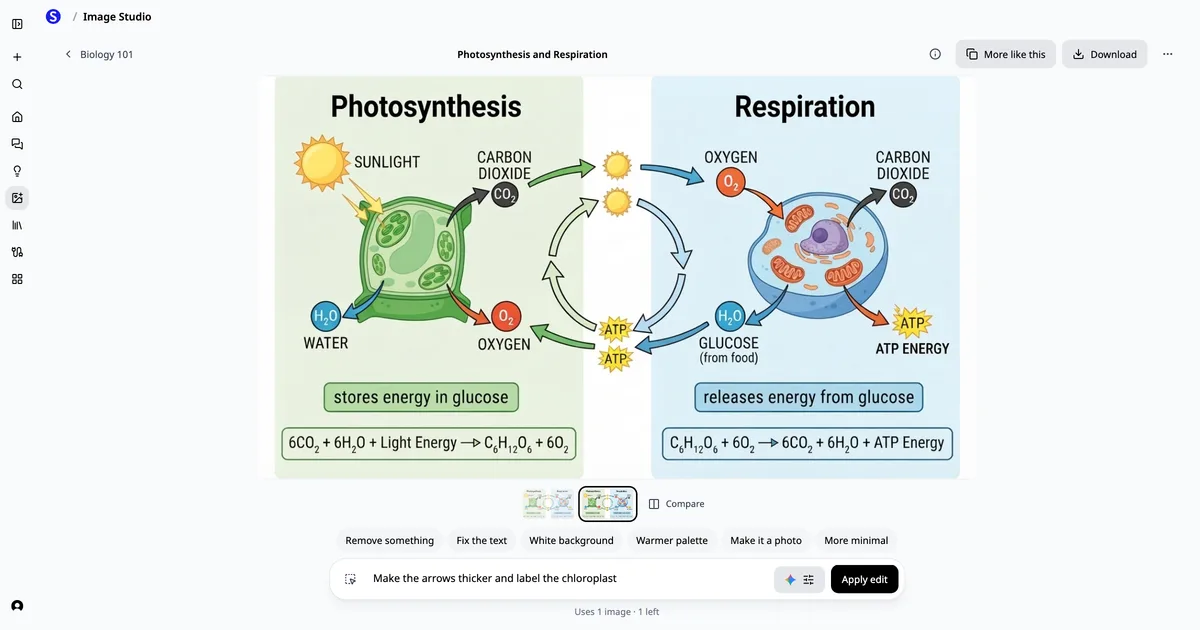
We also made Image Studio easier to reach: it now has its own entry in the sidebar. On a phone, open the navigation menu to find it.
Last week's model refresh brought the Studio lineup to Nano Banana 2 Lite, GPT Image 2.5 Flare, GPT Image 2.5 Sunburst, Grok Imagine, and Nano Banana 2.1. You can pick one model or compare results from several using the same prompt. Each result shows the model that made it.
Studio continues to support reference-image edits, five aspect ratios, and Standard or High quality where the chosen model supports it. High quality is available on paid plans. Your selected models, aspect ratio, and quality are remembered for next time.
Try it on something useful
Start with a specific visual you need: an illustration for a training handout, a cover for a presentation, or a visual explanation of an idea. Describe the subject, intended use, composition, and any exact wording you want included. Attach a reference image when you want to change an existing visual.
For diagrams with precise data or scientific labels, check the result carefully; chat can also use code to draw figures when exact layout matters.
Open Image Studio, or see plans and pricing.