Get smart on anything before the first call

New industry, new client, new deck due Friday. Bring the reports, data-room PDFs, and expert calls into one workspace - get grounded, cited answers and client-ready slides in a fraction of the time.

Free to start · No credit card required

Used by 200,000+ learners, researchers, and professionals

200,000+
Professionals and learners worldwide
70+
Languages supported
Minutes
From a data room to first answers
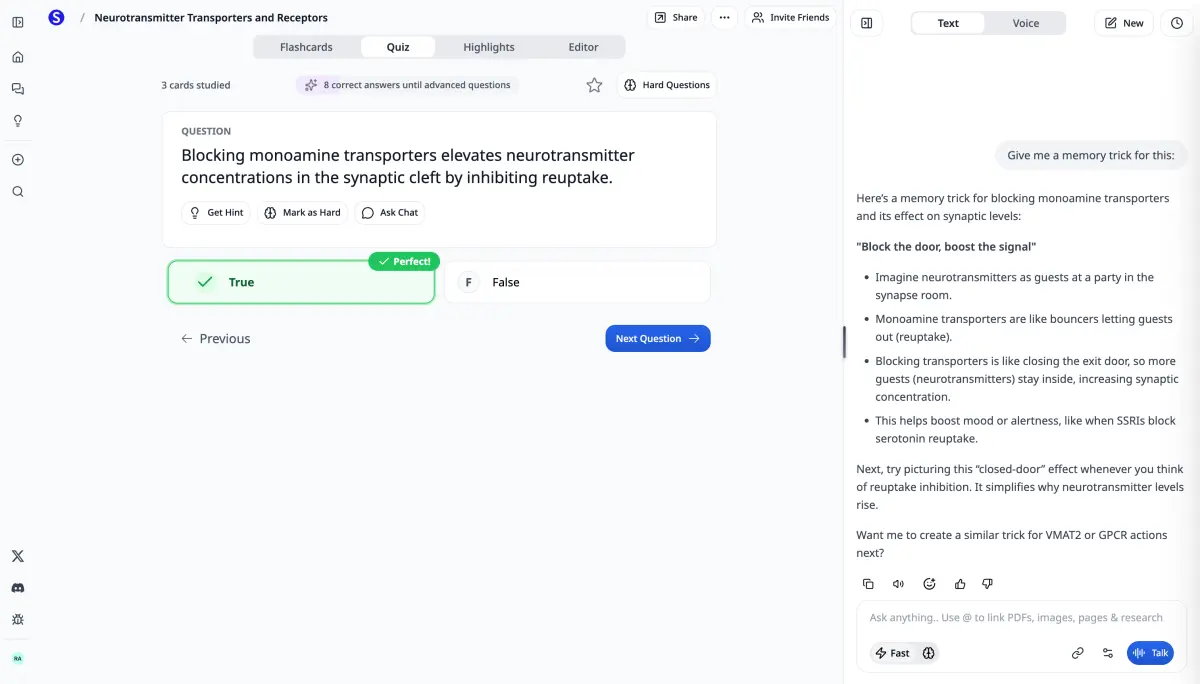
The Scholarly workspace with an AI-generated quiz question open beside a chat panel answering from the same source.

Use cases

How Consultants Use Scholarly

Ramp on a new industry in days

Run Deep Research on the market, then load the key reports and question them directly. Walk into the kickoff already conversant, with sources to back you up.

Question the client's documents

Upload data-room PDFs, prior decks, and internal docs. Ask what you need - answers cite the page they came from, so your findings are defensible.

Turn findings into slides

Generate a clean, structured deck from your documents and notes - a starting point for the storyline instead of a blank template.

Use the travel time

Convert industry reports and briefings into podcasts and audio overviews - get through the reading list on flights and between client sites.

Features

Features That Matter for Client Work

Deep Research

A structured, cited brief on any market, company, or technology in minutes - then drill into the parts that matter for the engagement.

Citation-backed answers

Every answer from your documents points at the source page. Verify before it goes in the deck - no unsourced claims in front of a client.

Workshops & calls to notes

Record workshops and expert calls or upload the audio. Get transcripts, structured notes, and a recap you can query afterwards.

Concept maps of a new domain

Map how an unfamiliar industry fits together - players, drivers, dependencies - from the material you loaded, not generic knowledge.

How it works

How It Works

  1. 01

    Load the engagement

    Industry reports, data-room PDFs, prior decks, call recordings - one workspace per engagement.

  2. 02

    Ask and verify

    Question the material, run deep research, and get grounded answers with citations you can defend.

  3. 03

    Deliver

    Turn understanding into slides, notes, and recaps - a working draft of the storyline in minutes.

FAQ

Frequently Asked Questions

What does Scholarly do for consultants?

Scholarly is an AI workspace for engagements: load industry reports, data-room PDFs, prior decks, and call recordings, then ask questions and get grounded, citation-backed answers. It runs cited deep research on new markets, transcribes expert calls, and generates structured slide decks from your material.

How fast can I get up to speed on a new industry?

Run Deep Research for a cited overview in minutes, then upload the key reports and question them directly. Most consultants use the combination to be genuinely conversant before the kickoff - with sources they can point to for every claim.

Is client material kept private?

Your uploads are private to your account and are not shared with other users. You control your library and can delete materials at any time. For engagement-specific confidentiality obligations, apply your firm's own policies on cloud tools.

Can it really make slides from my documents?

Yes. Scholarly generates a structured PDF deck from your documents and notes, with sections, takeaways, and supporting points. It's a working first draft of the storyline, not a finished client deliverable. Use Refine or the side chat to request edits to the existing PDF, or regenerate with different instructions for a new draft.

How is this different from ChatGPT?

ChatGPT can work with uploaded documents. Scholarly brings the engagement's data-room files, reports, and call recordings into a persistent workspace, with answers that cite the source passages so you can check findings throughout the project.

Pricing

Ready to Walk In Already Up to Speed?

Join consultants who turn data rooms and reading lists into defensible answers and working decks.

Sample lecture

What one video lecture gets

Free makes a lecture of about 2 minutes in 720p with the Scholarly logo, to watch in Scholarly. Premium and Laureate make lectures up to 45 minutes in 1080p that you can download as an MP4, with the logo off if you choose.

Pricing shown in USD by default. Local currency may be available in app or at checkout.

Compare plans

Image creation · Beta

Shared across Image Studio and chat. Separate from AI Creation Credits. Free images are lifetime and do not reset. Paid allowances reset weekly without rollover. Limits may change during beta.

Free
2 lifetime
Premium
40/week
Laureate
80/week

AI chat

Premium and Laureate include unlimited AI chat on Auto. Chat starts on Best, and premium models such as GPT 6.1 Sol, Claude Sonnet 5.5, and Claude Opus 5.5 draw on a weekly premium usage allowance; when it runs out, chat keeps going on Auto until it resets. Chat never spends AI Creation Credits.

Free
3 total
Premium
Unlimited
Laureate
Unlimited

Premium chat models (Best)

Chat answers on Best, the strongest model, by default. Premium models draw on a weekly allowance that resets every Monday at 00:00 UTC; long threads, large files, background tasks, and Claude Opus 5.5 use it faster. When it runs out, chat keeps going on Auto until the reset.

Free
Not included
Premium
Weekly usage
Laureate
4× weekly usage

AI Creation Credits

AI Creation Credits cover videos, slides, documents, and other AI creations. Most models use 1 credit, a few use 2, and Frontier models use 2, 3, or 4. Image Studio and chat images have a separate weekly allowance.

Free
1 total
Premium
15/week
Laureate
80/week

Podcast length

Free episodes are about 2 minutes. Paid plans can set a target length up to 60 minutes.

Free
About 2 minutes
Premium
Up to 60 minutes
Laureate
Up to 60 minutes

Video lecture length

Free lectures with a length control are about 2 minutes. Paid plans can set a target up to 45 minutes. Short uses its own short video format.

Free
About 2 minutes
Premium
Up to 45 minutes
Laureate
Up to 45 minutes

Video lecture resolution

Free
720p
Premium
1080p
Laureate
1080p

Download lectures as MP4

Free
-
Premium
Included
Laureate
Included

Scholarly logo on lectures

Free
Always on
Premium
Your choice
Laureate
Your choice

File uploads

Free
1 total (8MB)
Premium
Unlimited (300MB)
Laureate
Unlimited (1 GB each)

PDF to flashcards

Free
32 pages
Premium
1000 pages
Laureate
3000 pages

Sources per creation

Free
Up to 1
Premium
Up to 10
Laureate
Up to 20

Practice questions

Free
5 total
Premium
Unlimited
Laureate
Unlimited

Practice exams

Free
1 total
Premium
Unlimited
Laureate
Unlimited

Voice mode

Free
15 min total
Premium
2 hr/day
Laureate
12 hr/day

Autocomplete

Free
500 words total
Premium
Unlimited
Laureate
Unlimited

Export to Anki

Free
-
Premium
Included
Laureate
Included

Support

Free
Standard
Premium
Priority
Laureate
Priority

What customers say

Scholarly has enhanced the quality of notes and questions I administer to my tutees. Insightful, to the point.

TD Georgas

TD Georgas

Tutor

I have very good experience with Scholarly it summarise me scientific text in hovel academic level with citation. I use this for any therapeutic area . It is great and useful tool.

Diana

Diana

Scholarly user

Scholarly has been a valuable tool for my studies. The AI-generated flashcards and intuitive features make organising and retaining information much easier.

Briana

Briana

Scholarly user

This app is great for studying for big test. Drop your PDF's in the system and it'll do the trick. You can organise it specifically for your needs.

Kelvin

Kelvin

Scholarly user

Your questions, answered

Is Scholarly free to use?

Yes! The free plan includes core study tools with lifetime allowances: 3 AI Chat messages, 500 autocomplete words, 5 quiz questions, 15 voice minutes, 1 practice exam, one free AI Creation Credit total, and 1 file upload. These allowances do not reset. Image Studio and chat also share 2 lifetime images during beta; this separate Free allowance does not reset and may change. Upgrade to Premium for 15 AI Creation Credits per week and unlimited uploads.

What uses my free AI Creation Credits?

AI Creation Credits are shared across flashcards, podcasts, videos, slides, AI Documents, Deep Research, and the Transcribe tool. The selected model determines the credit cost. Recording a meeting does not use an AI Creation Credit. Transcript and notes are included, up to 10 hours on paid plans.

Can I cancel any time?

Absolutely. There are no contracts or commitments. You can cancel your subscription at any time from your account settings, and you'll keep access until the end of your billing period.

What payment methods do you accept?

We accept all major credit and debit cards through Stripe. Pricing is displayed in USD by default, but local currency is available in the app.

Can I use Scholarly with a class or school?

Yes. For a school or organisation-wide rollout, contact us at hello@scholarly.so and we'll help you find the right setup.

What happens when I hit a free plan limit?

You'll see a prompt to upgrade. Your existing work is never lost. Limits only apply to new actions. Most Free allowances are lifetime limits. The separate beta image allowance includes 2 lifetime images on Free with no reset, 40 per week on Premium, and 80 per week on Laureate. Limits may change during beta. Premium includes 15 AI Creation Credits per week, podcasts up to 60 minutes, video lectures up to 45 minutes, unlimited uploads, chat, autocomplete, quizzes, and exams, plus more daily voice time.